22 posts

Build Blog Days 16 and 17 (2/2/18 & 2/3/18)

2018 FRC Build Season

Elevator
Task: Design Elevator Cartoon CAD

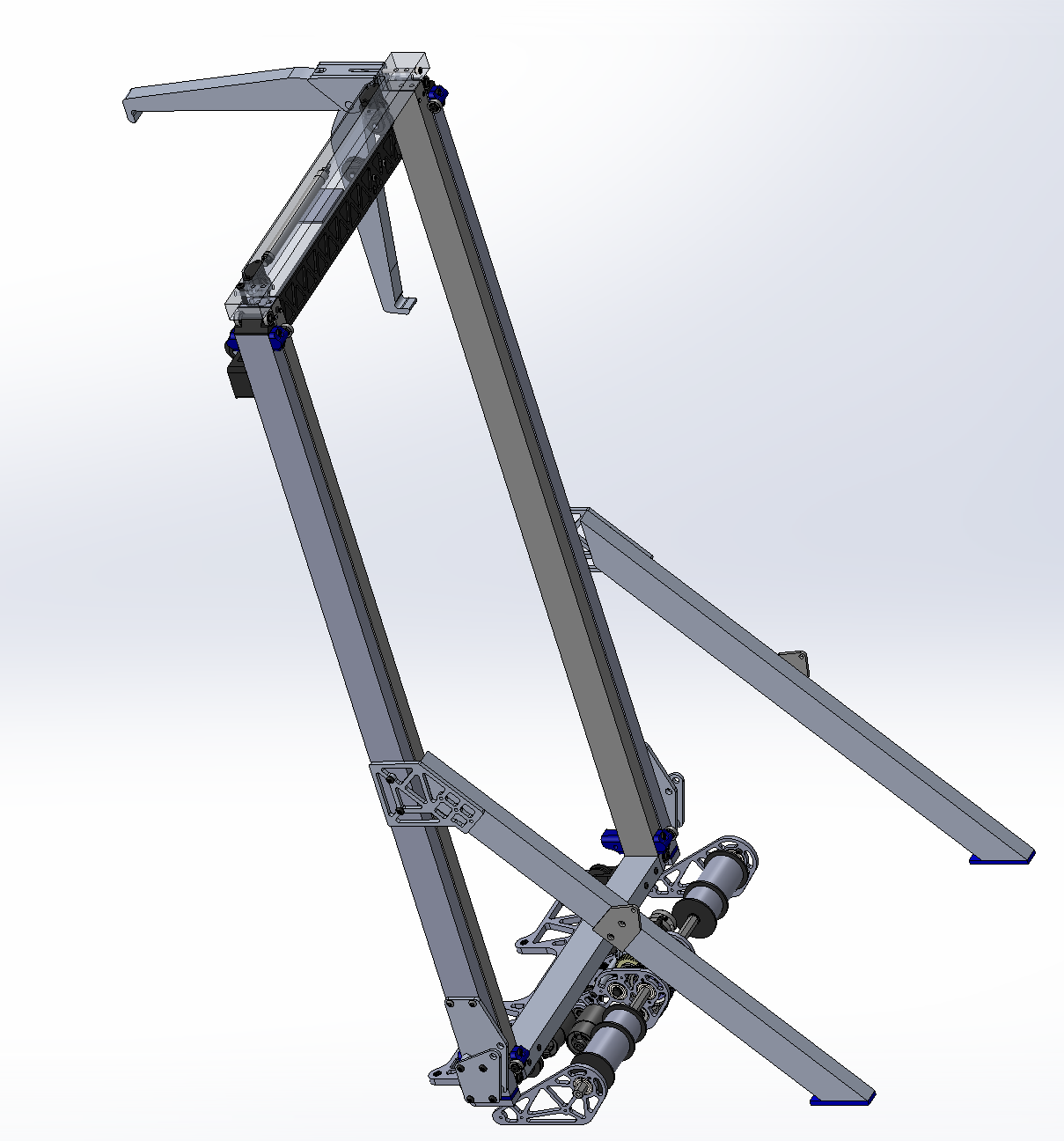
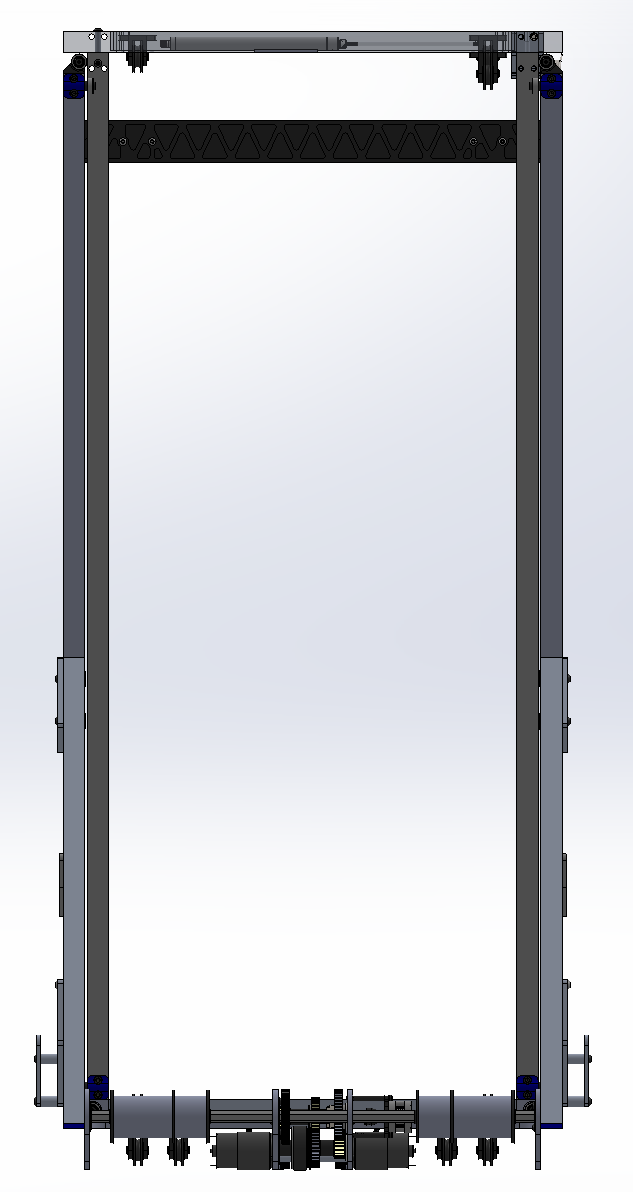
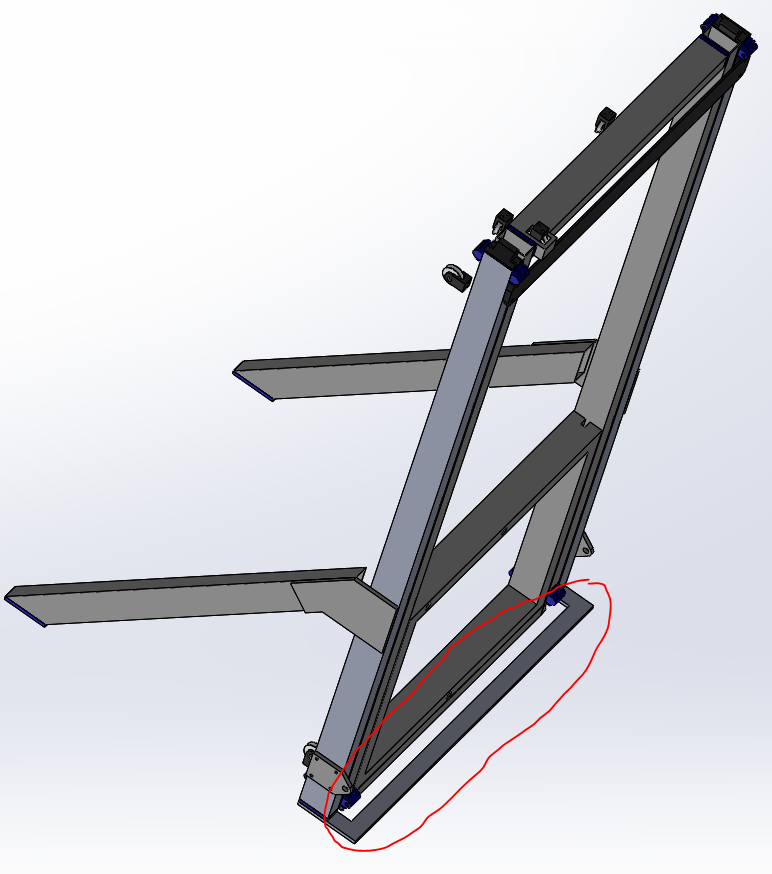
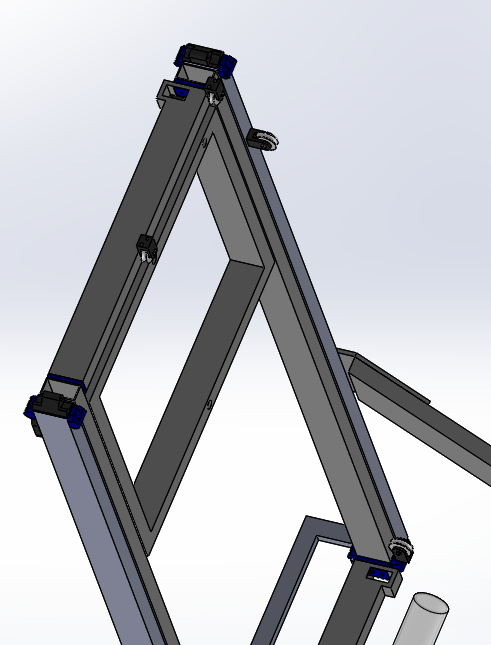
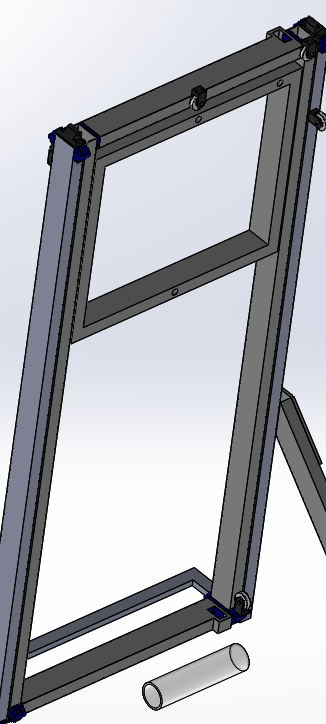
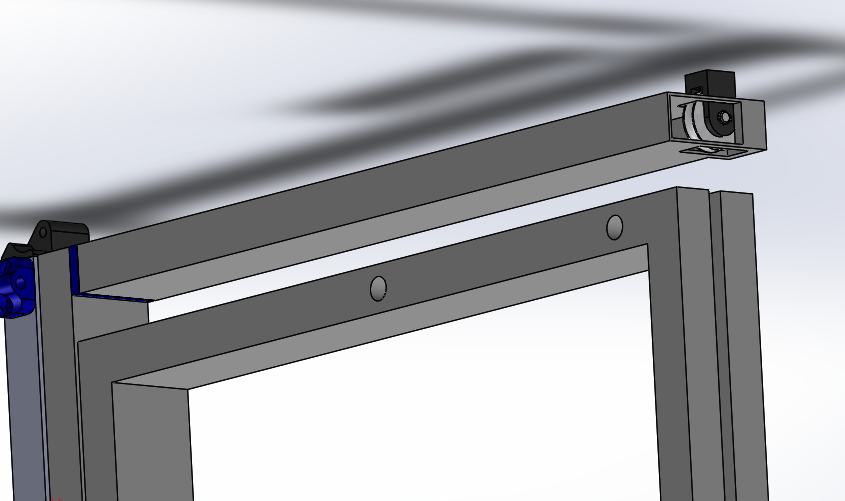
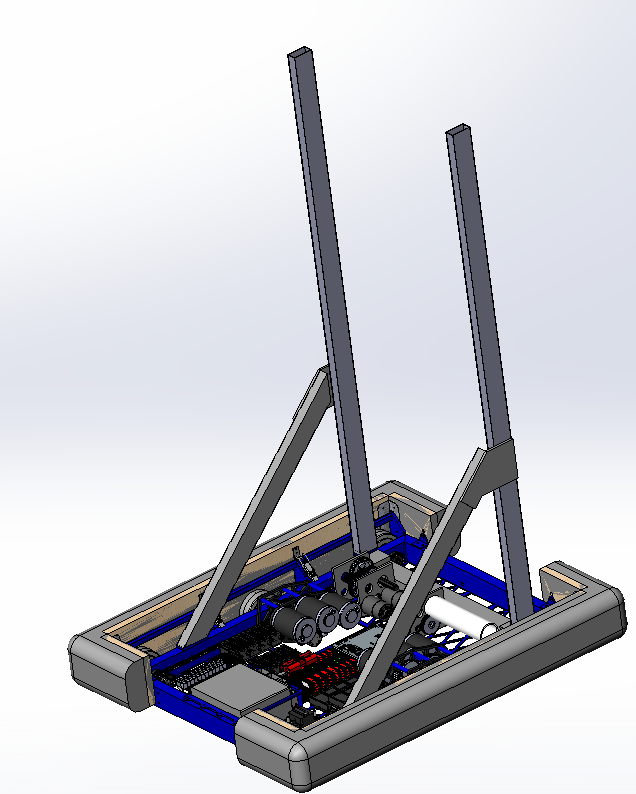
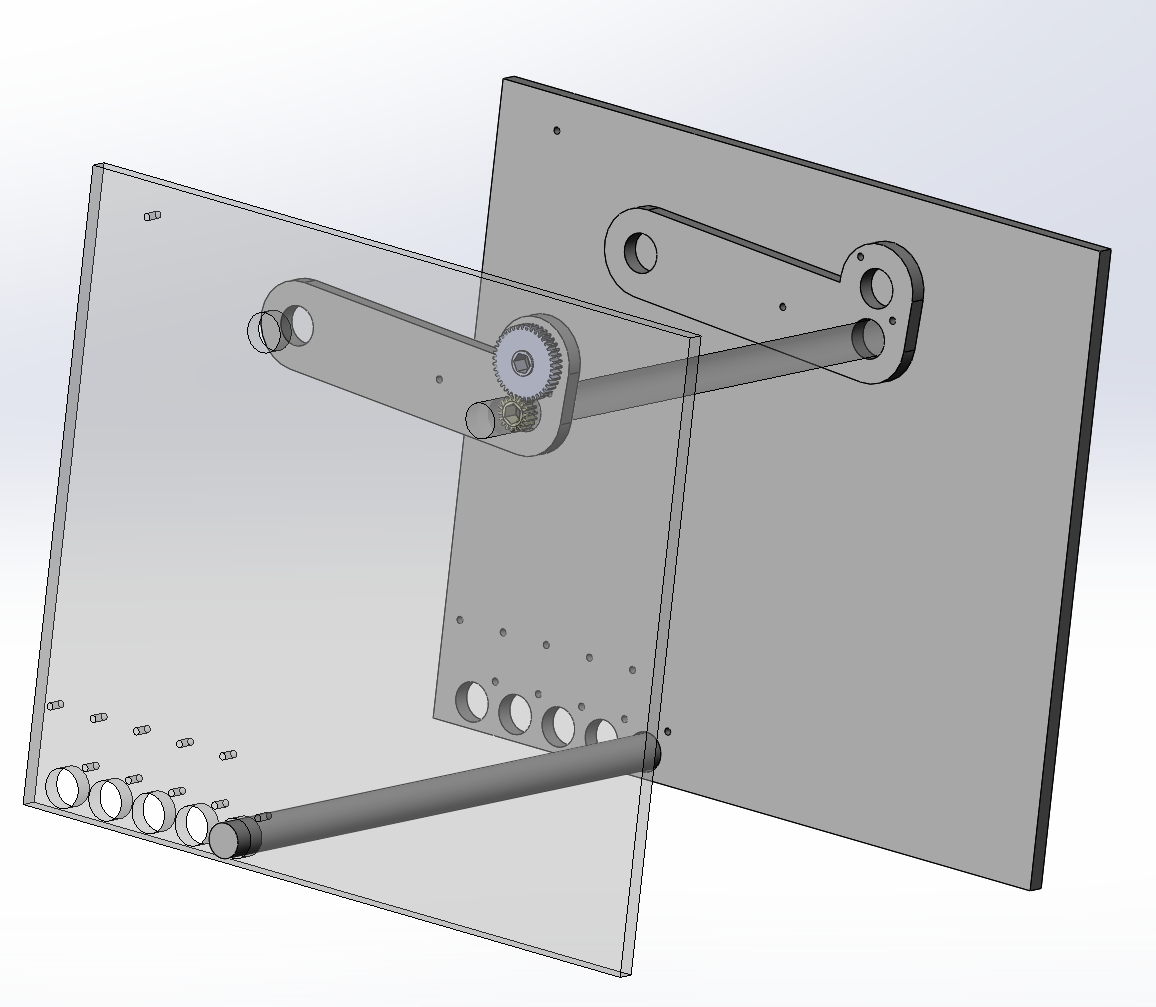
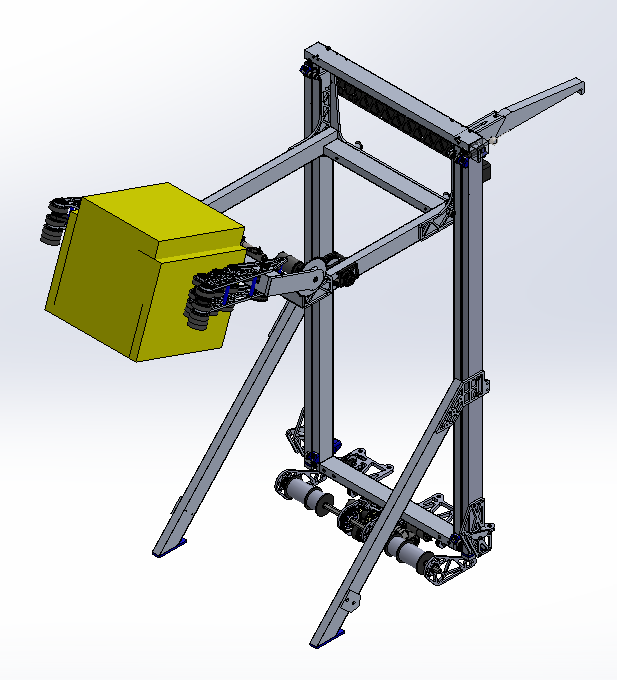
  • We decided to offset the A-Frame from the frame rail to allow more space for the intake to open and close in between. To do so, this also required moving the frame rail closer to the elevator such that it would not interfere with the omni followers. We finalized the outer stage and A-Frame of the elevator, manufactured all the parts, and sent them out to be welded. We decided to have the igus chain ride on a polycarb guide on the same plane as the outer face of the upright. The igus chain will attach to the top of the polycarb guide, will curl around the side tube of the carriage weldment, and will bolt to the inside of the carriage. We also moved the pulleys in a little on the bottom side of the horseshoe to make space for our pit crew members to easily put in the thumbscrew bolting the bumpers to the back of the frame rail.

Forklift
Task: Design Forklift CAD

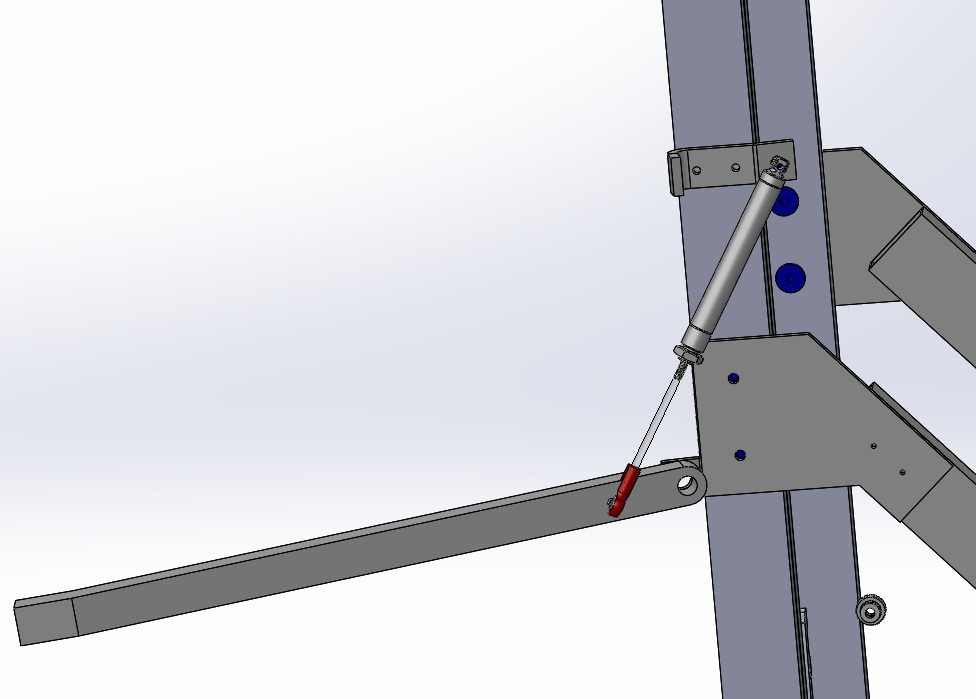
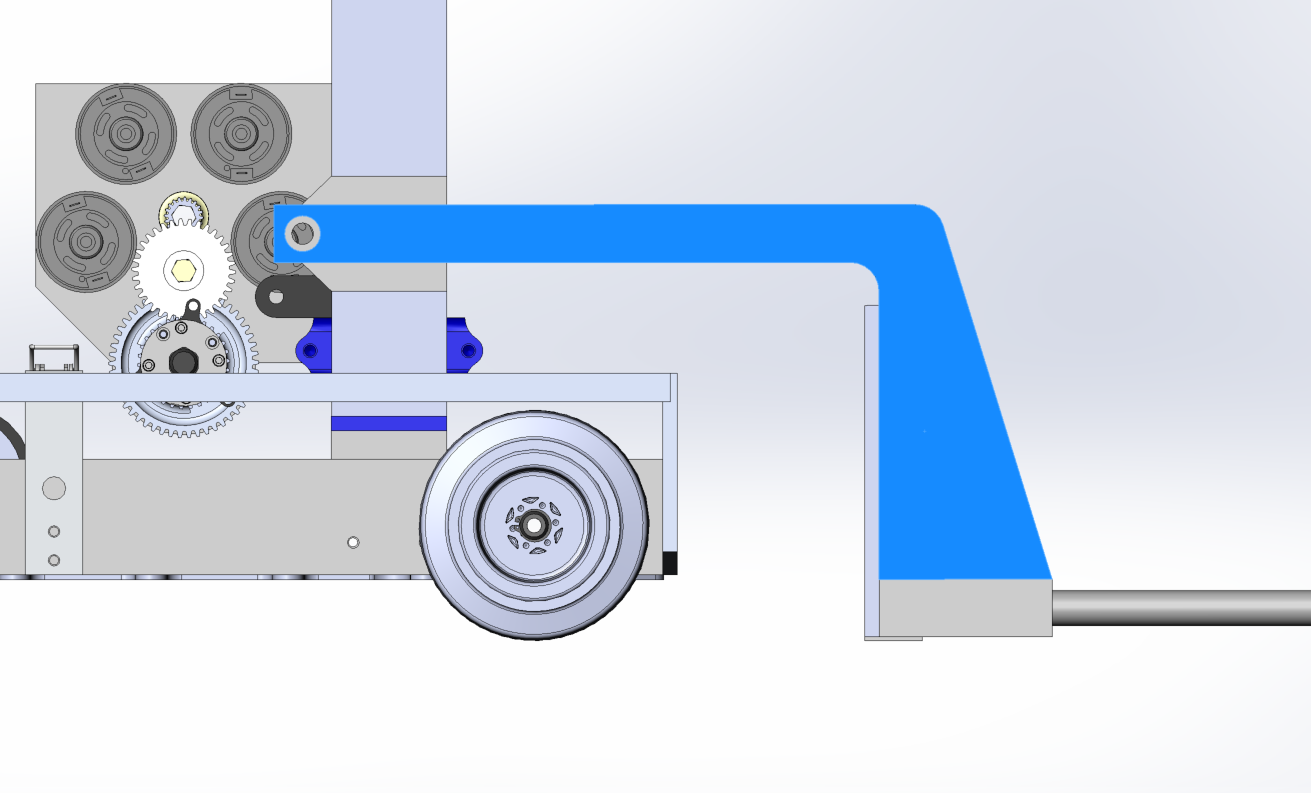
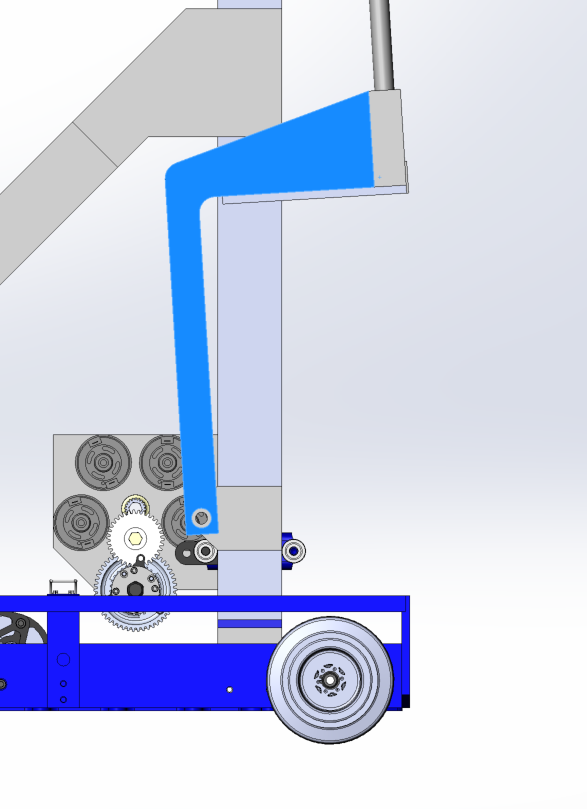
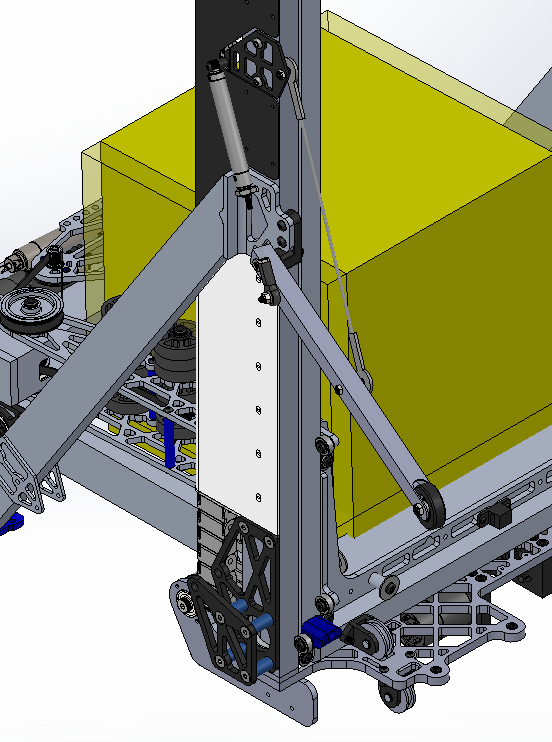
  • We adjusted the forklift pivot and piston to work around the A-Frame by using a larger bore piston with a smaller stroke. We had initially planned on using a 3/4" bore piston with a long lever arm, but because we decided to move it within a protected area and closer to the elevator, the lever arm decreased and thus required a larger bore piston to hold the forklift upright. We also finalized the tensile member which will be a steel wire bolting from the elevator to a-frame gusset to a standoff on the forklift and added a crossmember between the two forks.

Rollercoaster Wheels
Task: Complete Rollercoaster Wheels CAD Design

  • We completed the design of the rollercoaster wheels. We decided to use metal lanyards as the deploying hardstop. In addition, we chose to use a ball bearing with a 3D printed cover to increase the size of the wheel without increasing the thickness.
Electrical
Task: Wire the Practice, Programming, and Competition Robots

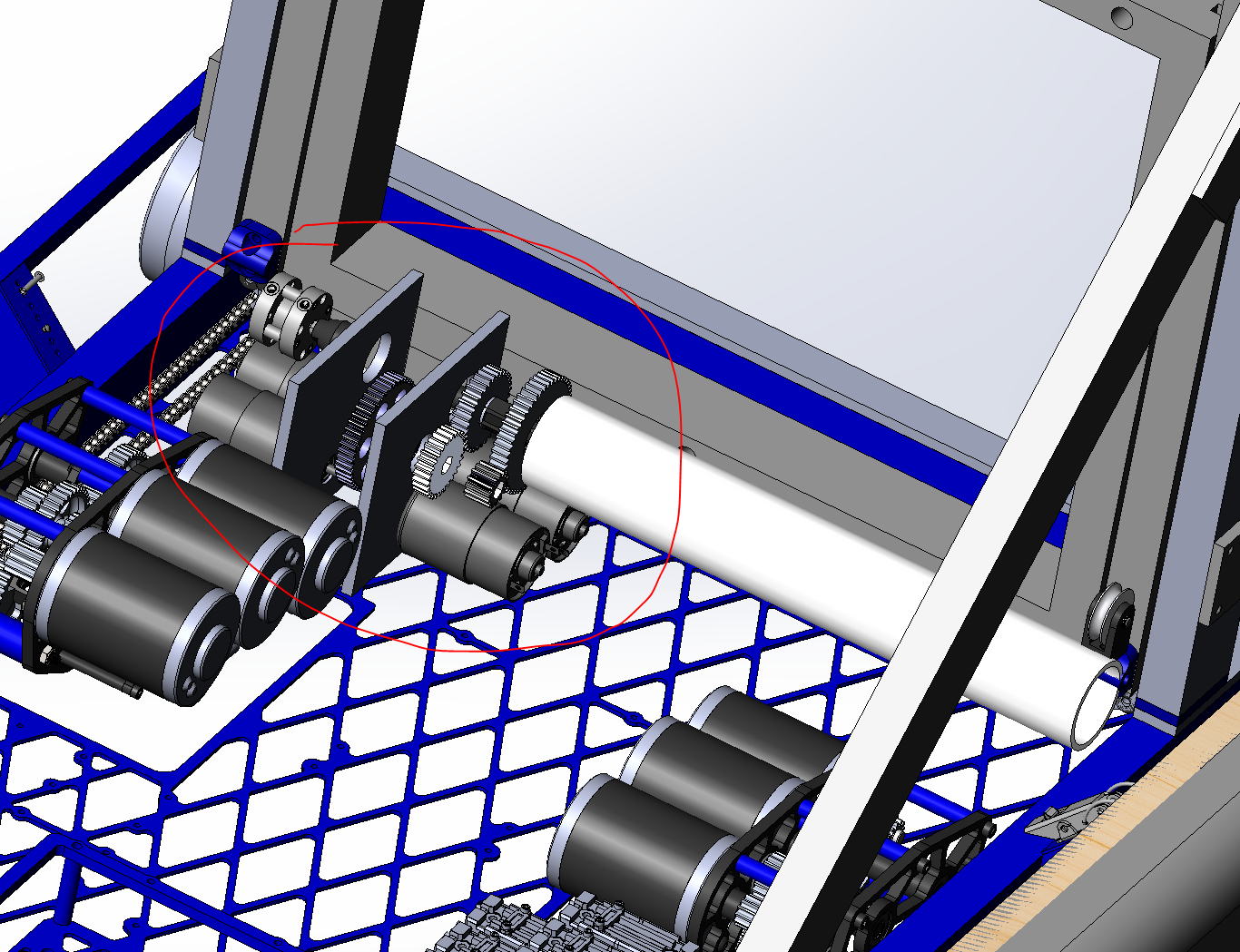
  • Over the past two builds, we completed wiring the practice, programming, and comp bots. We also installed all necessary gearboxes and chains on each drivebase. So far, the practice and programming robots are set with pneumatics. At our next build, we plan to finish plumbing the pneumatics on the comp bot.
Build Blog Days 14 and 15 (1/29/18 & 1/31/18)

2018 FRC Build Season

Elevator
Task: Design Elevator CAD

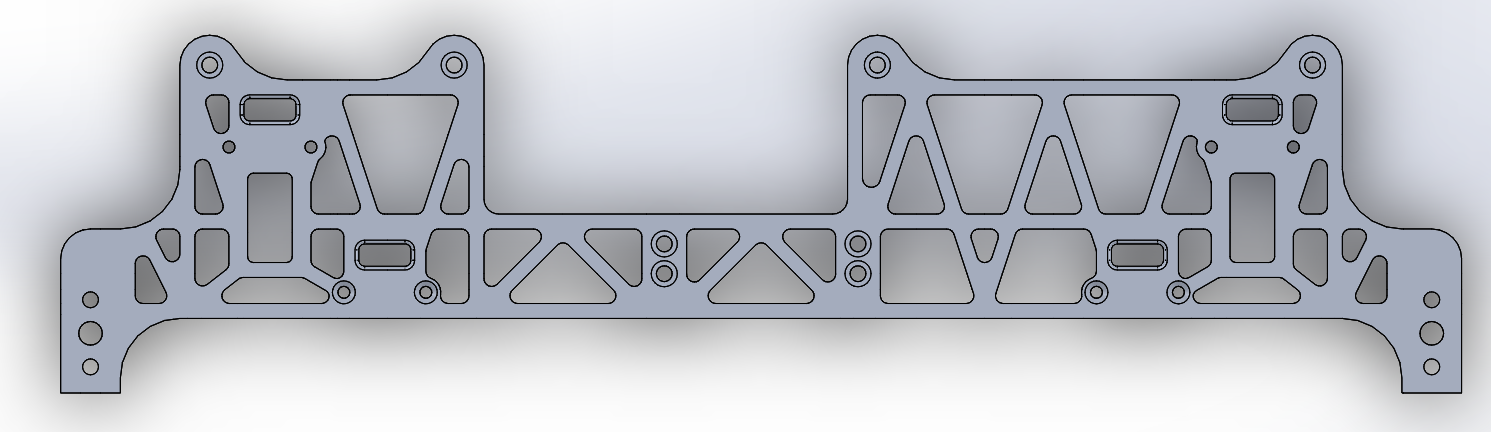
  • We changed the placement of the A-Frame by pushing it further towards the front of the robot and higher up the outer stage elevator upright such that the bumper latch could freely swing without contacting it, and we made the corresponding changes to the gusset joining the A-Frame to the outer stage elevator upright. We also modified the horseshoe plate to accommodate the omni follower wheels on the back of the robot by having the cutout fit around a space of the follower wheels. To ensure that our forklift would not contact our pulleys and cables when stowed within the frame perimeter, we looked into pushing the pulleys closer to the sides of the elevator, but realized that they would then interfere with the carriage as it traveled up. Instead, we decided to adjust the forklift pivot such that it could stow vertically and not have the carbon fiber rods leaning into the elevator assembly. Moving forward, we will also need to design in a part to protect the pulleys in case the forklift sways while we accelerate across the field during a match. We also modelled in a new piston pivot off the lower part of the A-Frame to actuate the stowing/deploying of the forklifts. We decided to move this piston to be above the frame rail and below the top of the bumpers such that it is in a protected area. If it was kept in its previous configuration, a robot could have easily come in and hit it, which would have rendered us incapable of actuating the forklifts for that match.

Electrical
Task: Wire the Practice, Programming, and Competition Robots

  • We finished wiring the PCM on the Practice and Programming Robots. We also finished wiring all the Talons for each robot. Lastly, we worked on gathering and assembling the pneumatic systems for each robot.

Programming
Task: RPLIDAR Driver

  • Today, we finished the odometry calculations necessary to track the robot's position using the follower wheels. The main difference from last year's code is the inclusion of the back follower wheel, which can be used to detect sideways slip when making turns. We are pretty much ready to test the follower wheels once they are ready, but we still need to figure out where the encoders will plug in so we can finish up the code.

Build Blog Days 12 and 13 (1/26/18 & 1/27/18)

2018 FRC Build Season

Elevator

Task: Design Elevator Cartoon CAD

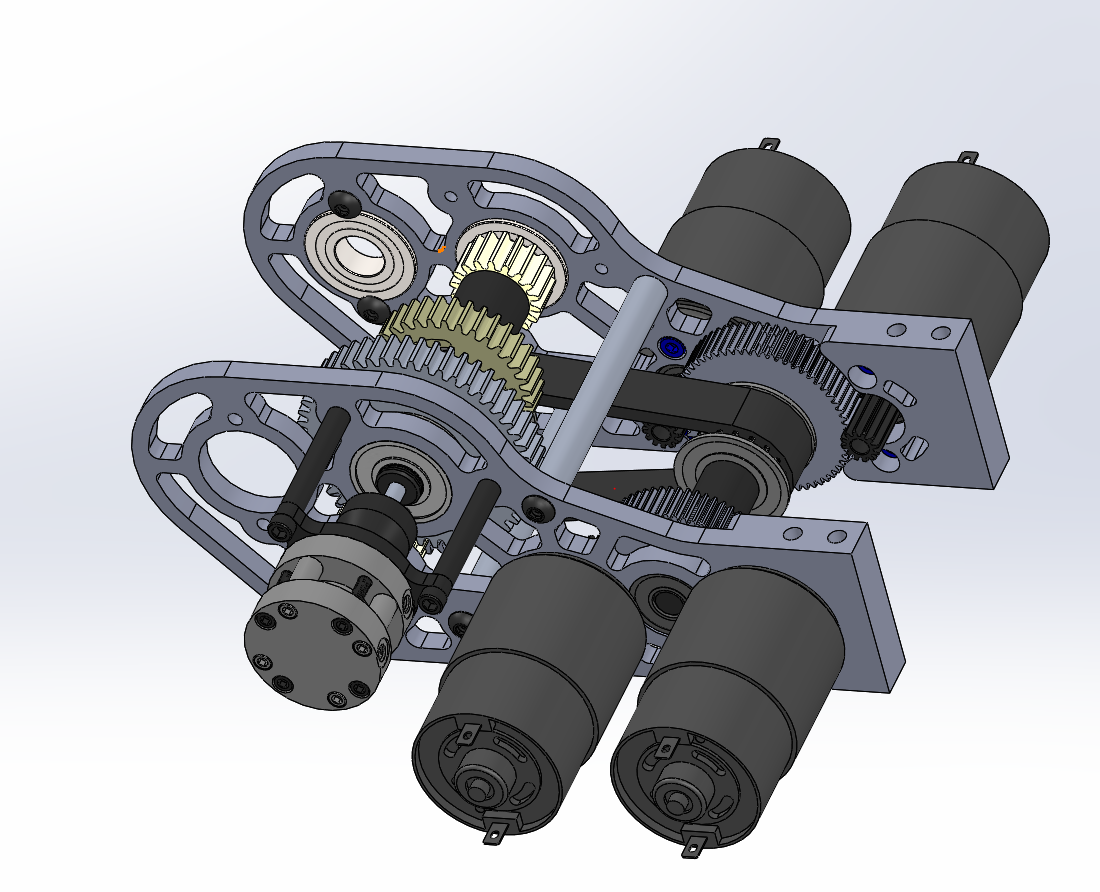
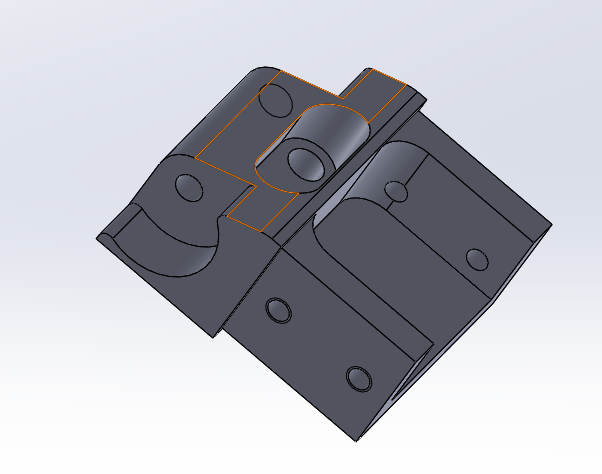
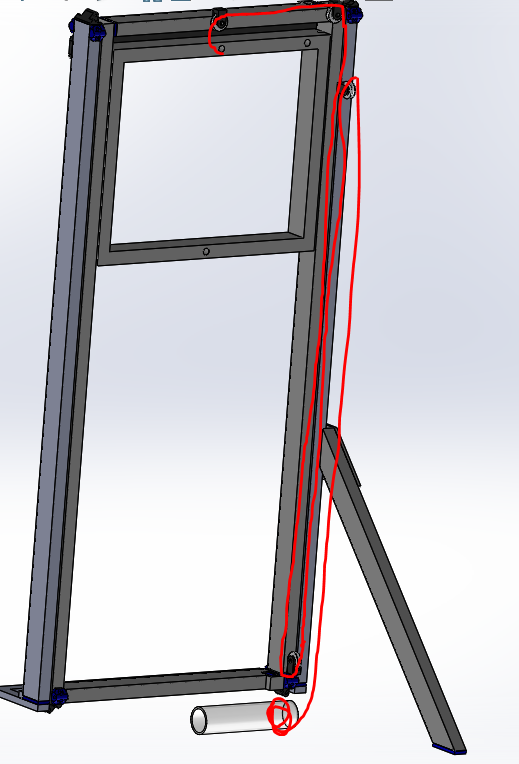
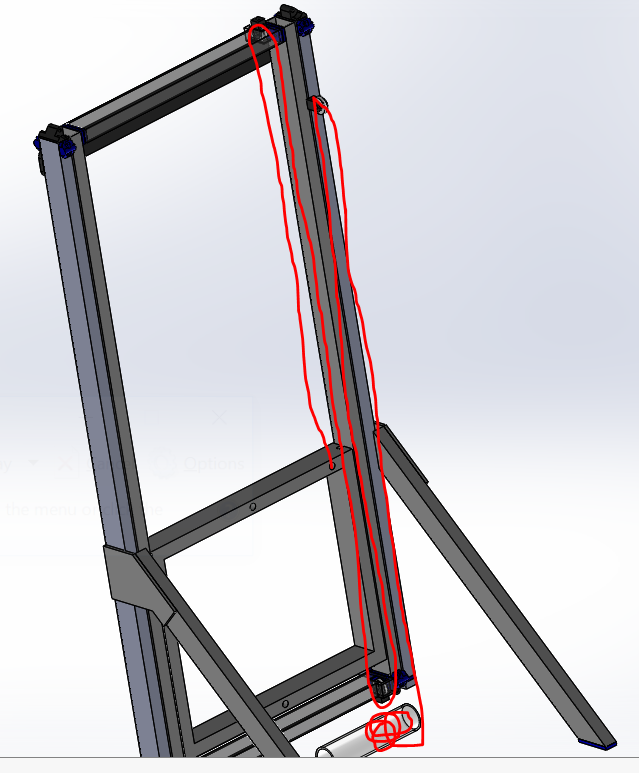
  • We finalized the elevator gearbox and pulley placement. To ensure the gearbox does not get in the way of the carriage, we decided to stow it below the elevator and belt out to reductions and the spool. We will have two spools, one on each side. Each spool will be divided into two sections by a flange: one section for the pull up cable and one section for the pull down cable. To avoid the carriage sweeping through in front of the elevator, we decided to have our cable runs go on the back of the elevator then come below the horseshoe and back onto the spool. We extended the horseshoe onto the frame perimeter to give us space to bolt the pulley assemblies and also to bolt into the frame rail to provide overall structure to the elevator assembly.

Rollercoaster Wheels

Task: Finish Rollercoaster Wheels Design in CAD

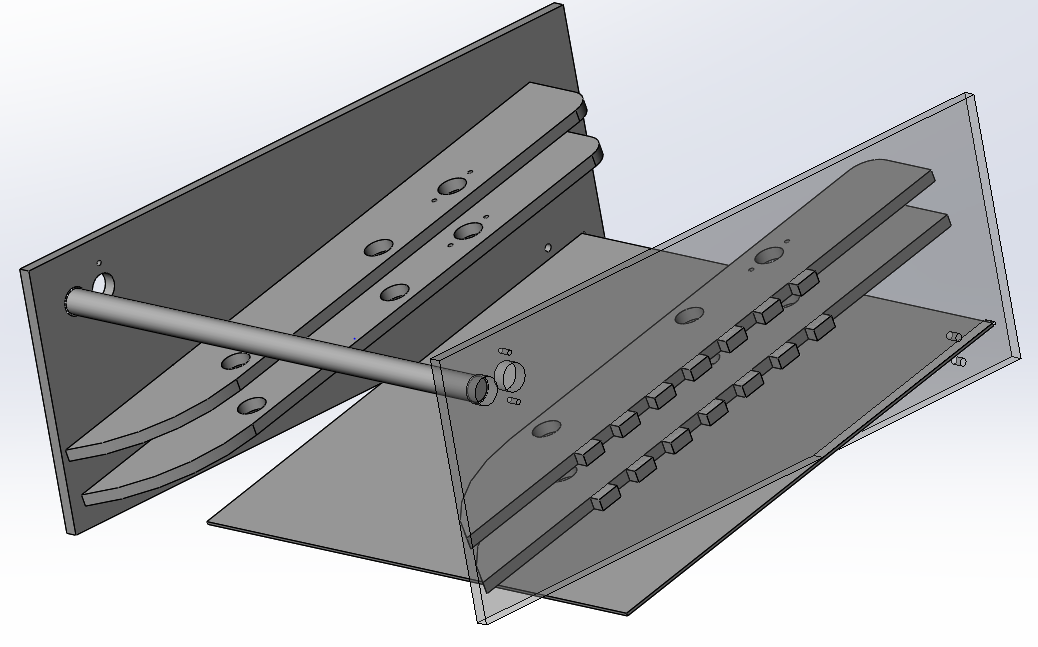
  • We finalized the geometry of the rollercoaster wheels design. We determined that we should have the piston mount to a plate mounted off the upright. This eliminates the original need for two degrees of freedom with two rod ends. Our plan is to start detailing the parts, finalizing that everything packages, and doing stress analysis.

Electrical

Task: Wire the Practice, Programming, and Competition Robots

  • For wiring, we worked on wiring the talons and distributed power to the VRM, PCMs, and RoboRio. We completed wiring the programming bot and are close to finishing wiring the practice bot.
Programming

Task: RPLIDAR Driver

  • We worked some more on the lidar driver.  We discovered a few problems with the UDP method where some data would be lost when the information was sent to the roborio resulting in a few of the packets missing timestamps.  To solve this problem we ended up writing to an input stream and using a buffered reader to transfer the data instead.  The new method also reduces CPU usage and decreases latency, so it is pretty much better all around.

Build Blog Day 11 (1/24/18)

2018 FRC Build Season

Elevator

Task: Design Elevator Cartoon CAD

  • The previous issue with Option B was the issue of the spool not being low enough if we directly mounted it on the shifter shaft. To address this issue, we decided to add a 1:1 reduction to lower the spool down. We also talked about the horseshoe. The horseshoe allows us to drop the intermediate stage as low as possible such that we can score our cube safely into the exchange.

Option A:

Option B:

We also designed new bearing blocks to allow us to save an inch of space between the vertical and horizontal tube of the intermediate stage.

Forklift

Task: Finish Forklift CAD

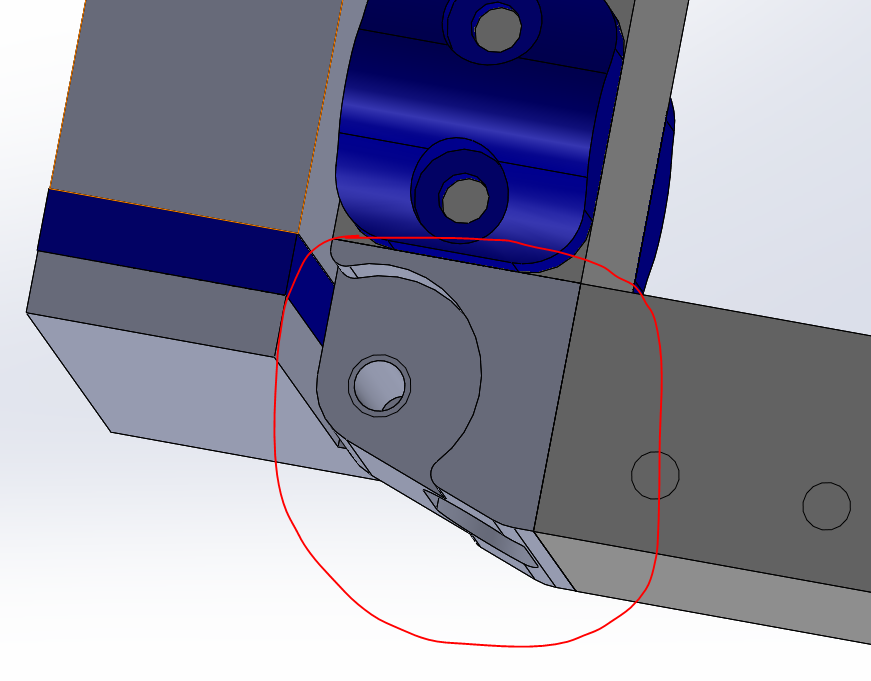
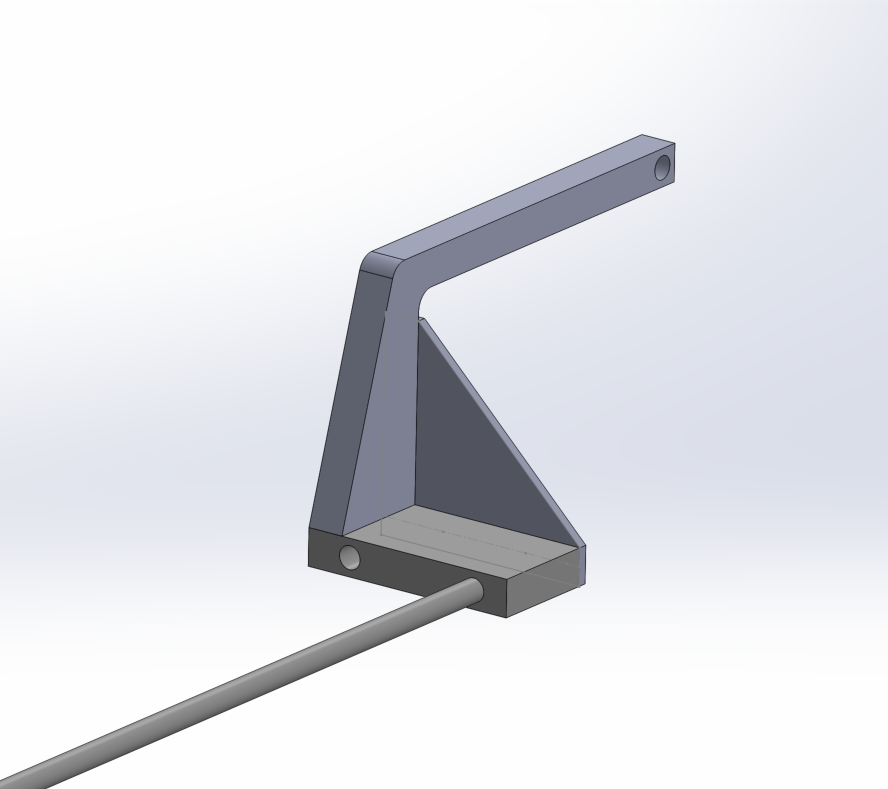
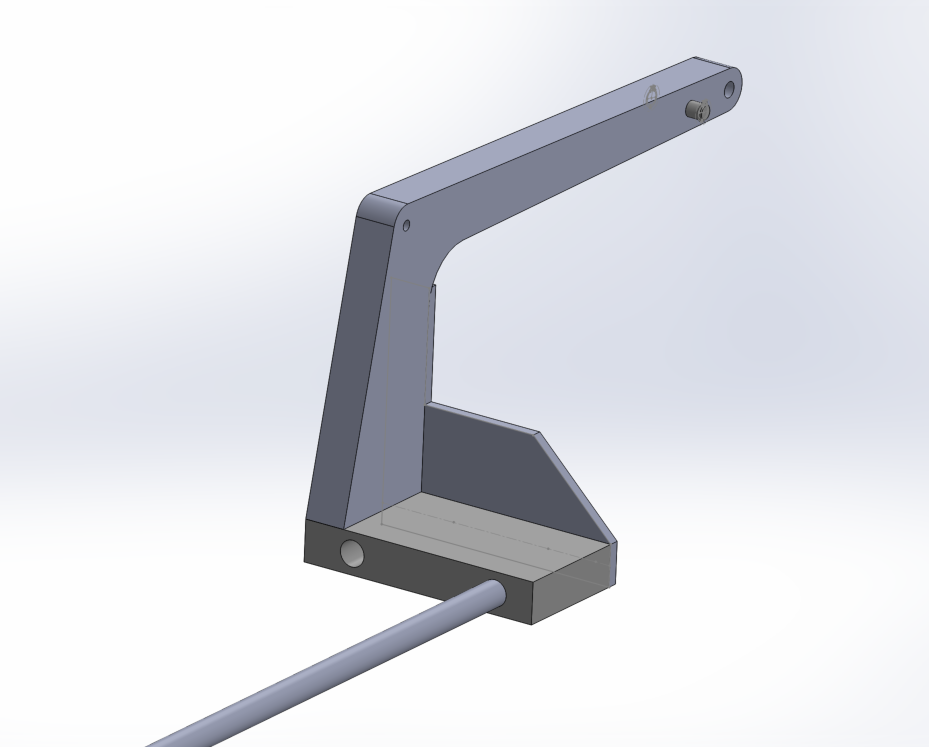
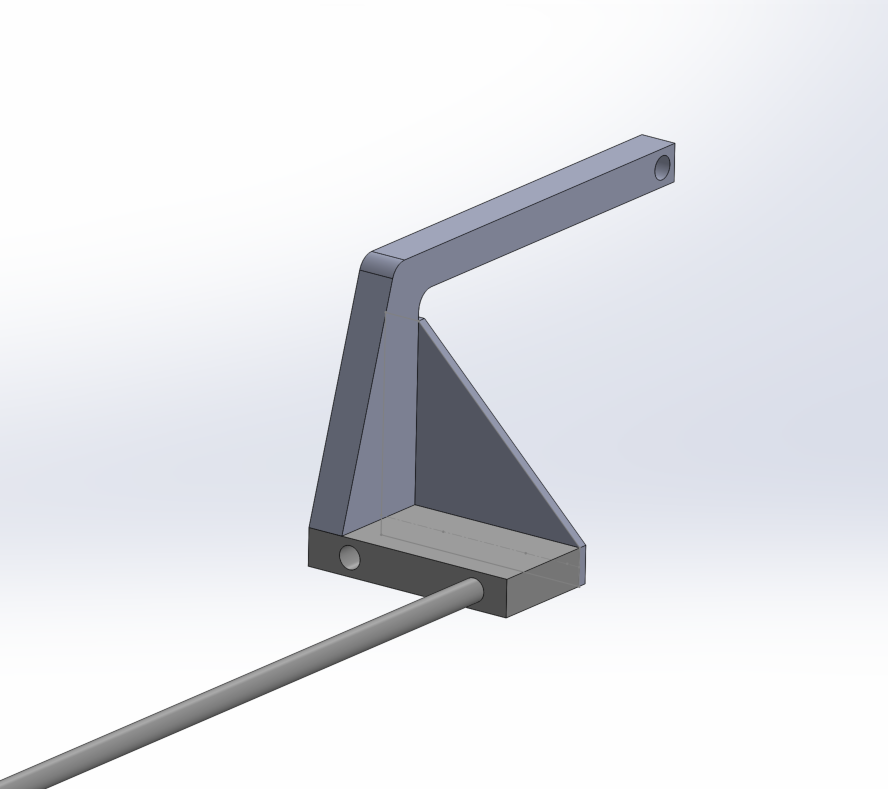
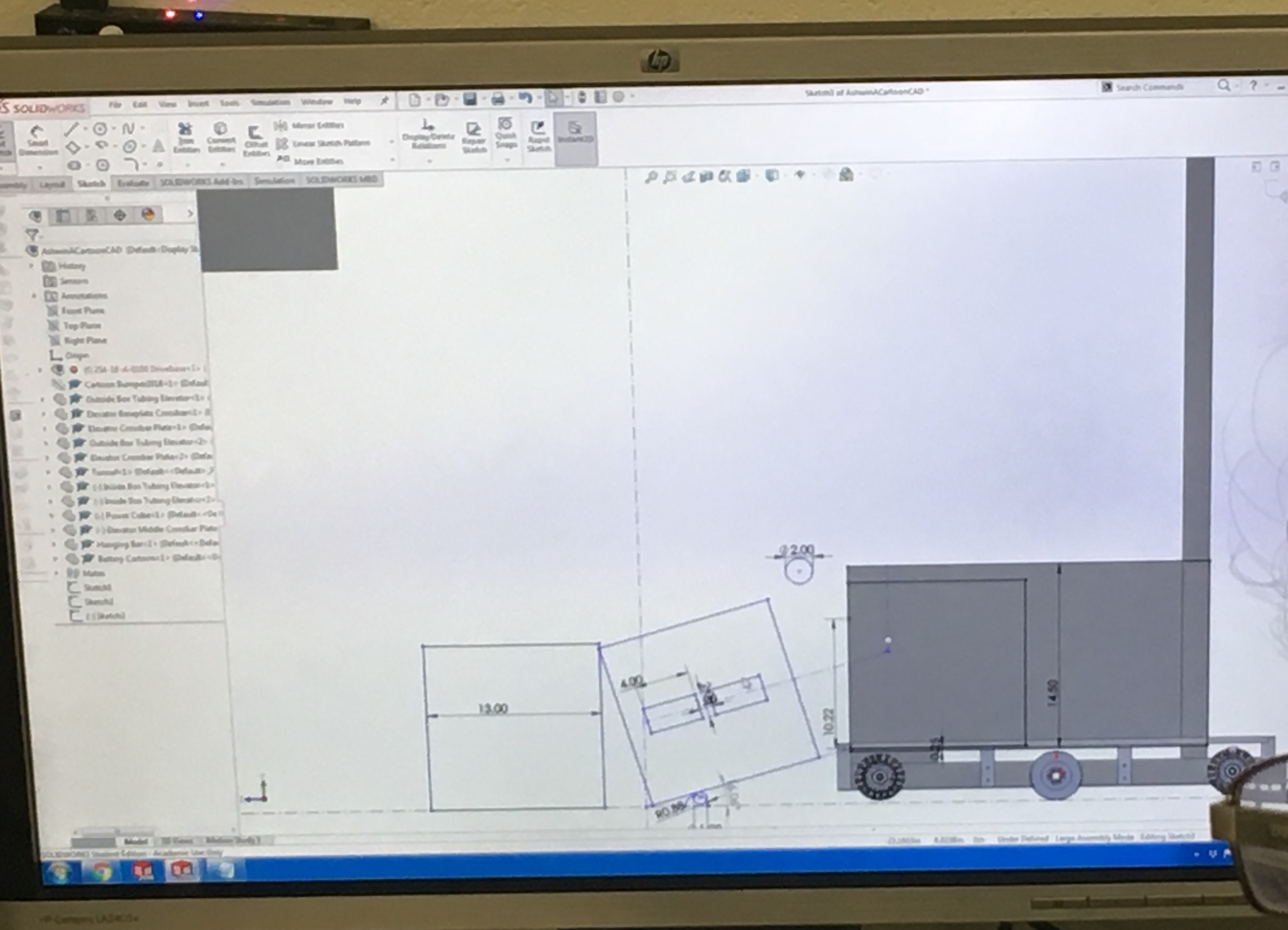
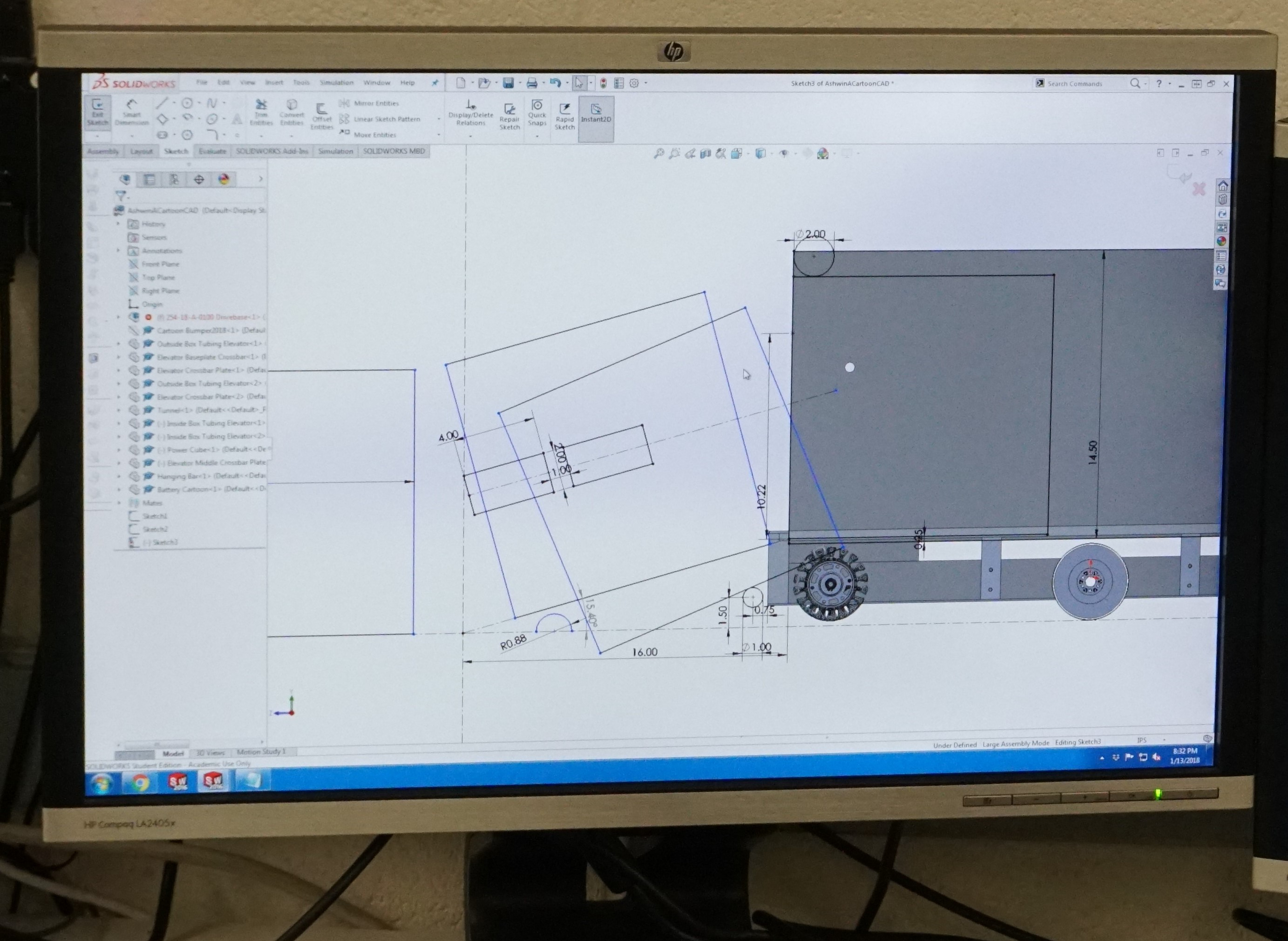
  • At Wednesday's build, we worked on further detailing the forklift arm. More specifically, we added a point to the back of the arm where surgical tubing could hook onto it and in-effect spring load it downward when we are ready to climb. We also beefed up the main arm and added a pivot point just above the downward 90 degree angle of the arm, which will later serve as an attachment point for a tensile member that will help support the whole arm when we are lifting another robot. Finally, we added a small notch in the triangle brace to allow room for the elevator superstructure. Moving forward, the plan is figure out how we will release the arm from a stowed position, and run a simulation to make sure the arm can support another whole robot.
Before:

After:

Intake

Task: Decide on a final intake prototype

  • Yesterday, we decided to switch up the intake design and started designing an intake that uses several 2" compliant Andymark wheels as opposed to the 4" we had been using so far. We began designing it in cad but have not laser cut it yet.
Programming

Task: RPLIDAR Driver

  • We got the RPLIDAR to output data to Network Tables, and can now access it from the node.js server. However, there are still some bugs to be fixed - for example, the data stops sending after a certain amount, and we will need to look into the problem more to find out why. Also, we will need to parse and send the data from the node.js server to the visualizer to complete the transfer of data from RPLIDAR to visualizer. Meanwhile, we also researched more line detection methods and are working on finding the best one for our purposes.
Build Blog Day 10 (1/22/18)

2018 FRC Build Season

Drivebase

Task: Finalize Drivebase CAD and Prepare For Manufacturing

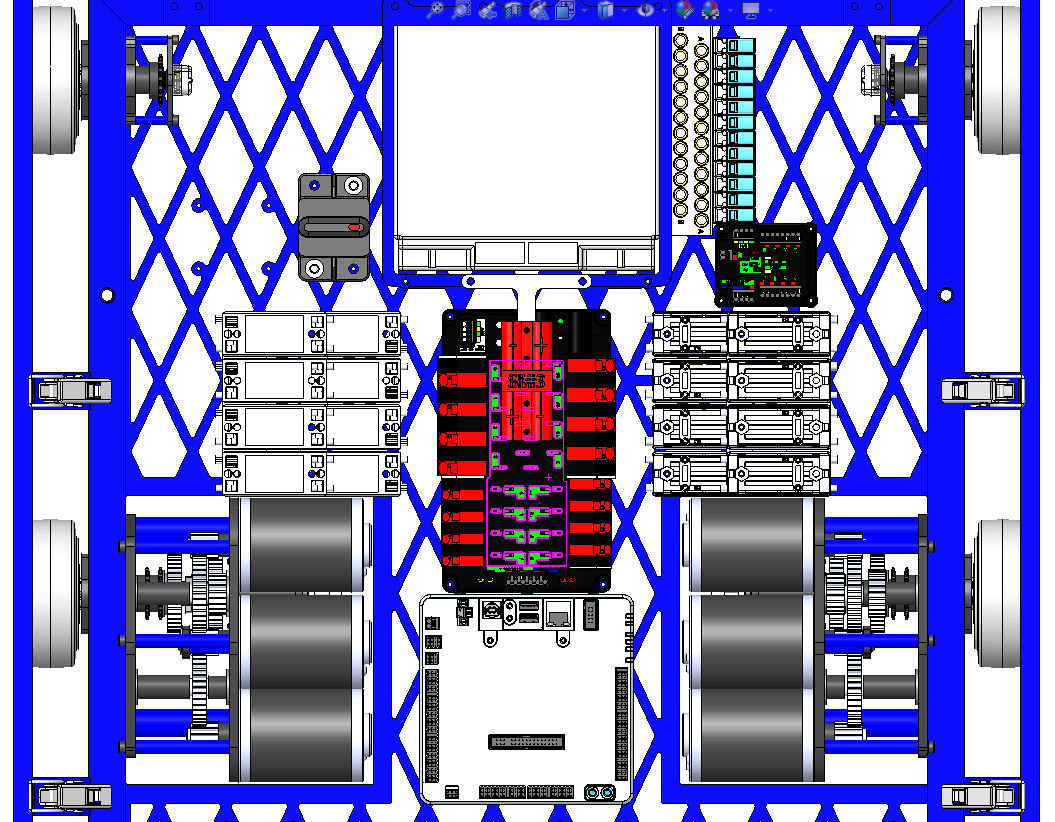
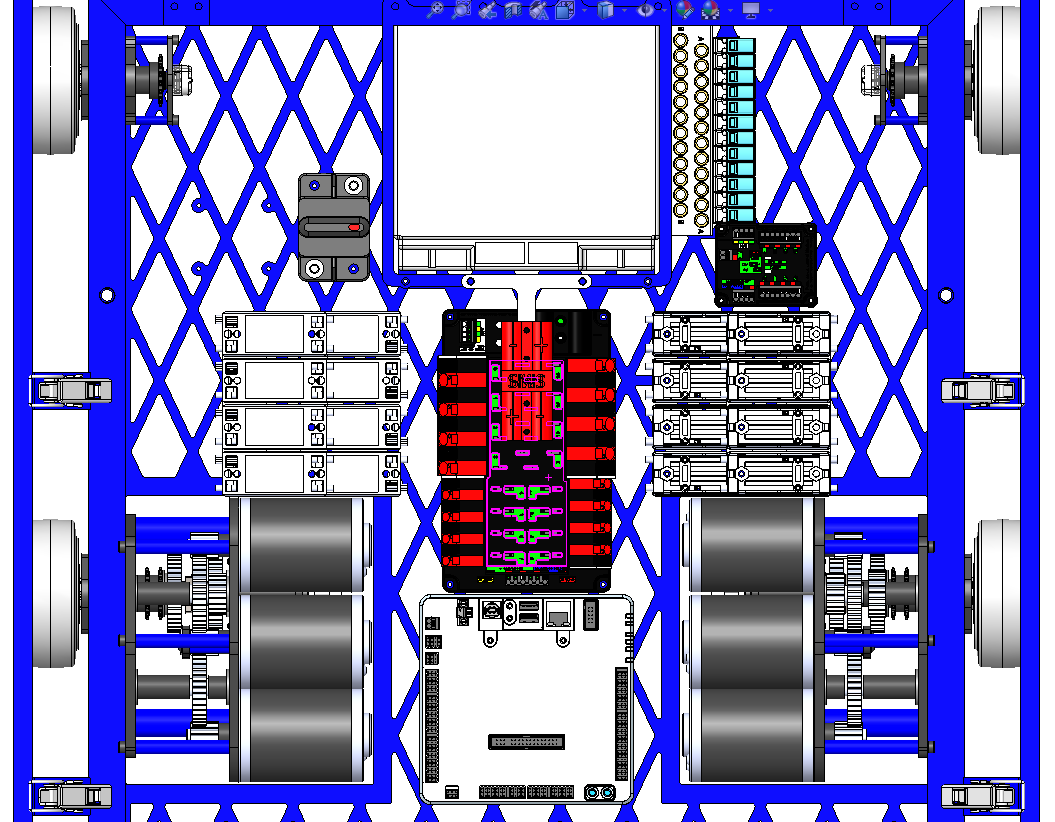
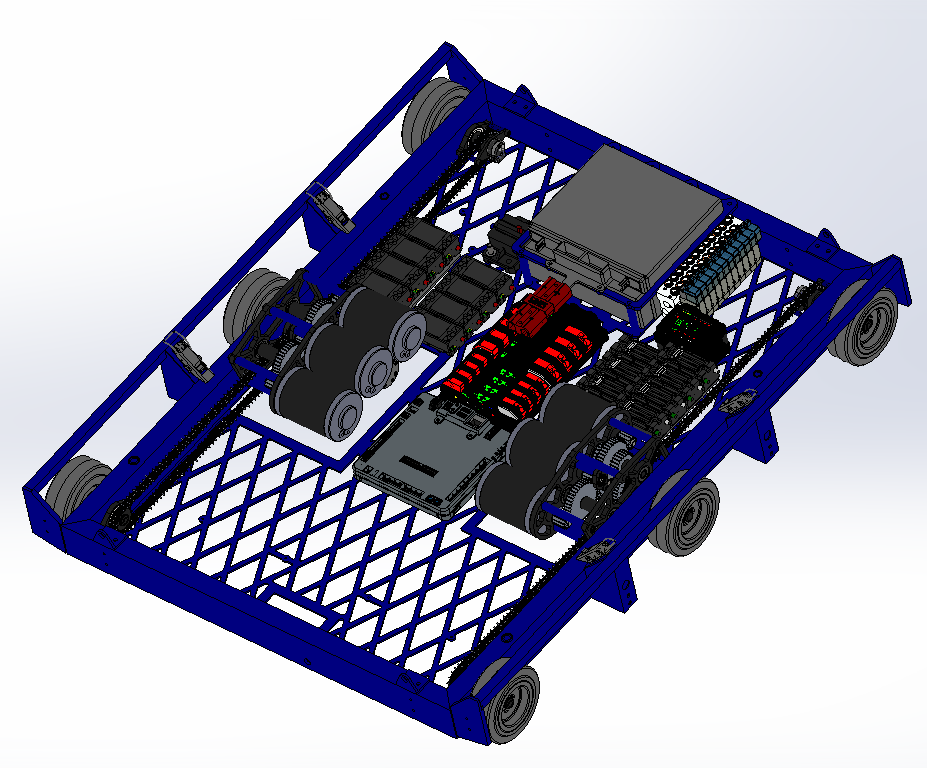
  • Over the weekend, we finished CADing and reviewing the drivebase. We sent the baseplate out to be laser cut. At our next build, we need to manufacture and assemble the drivebases so they can be welded on Thursday. On Thursday, we will need to deburr the drivebases so that on Friday they can be anodized. For a image of the electronics layout, you can look below.

Forklift

Task: Finish Designing Forklift CAD

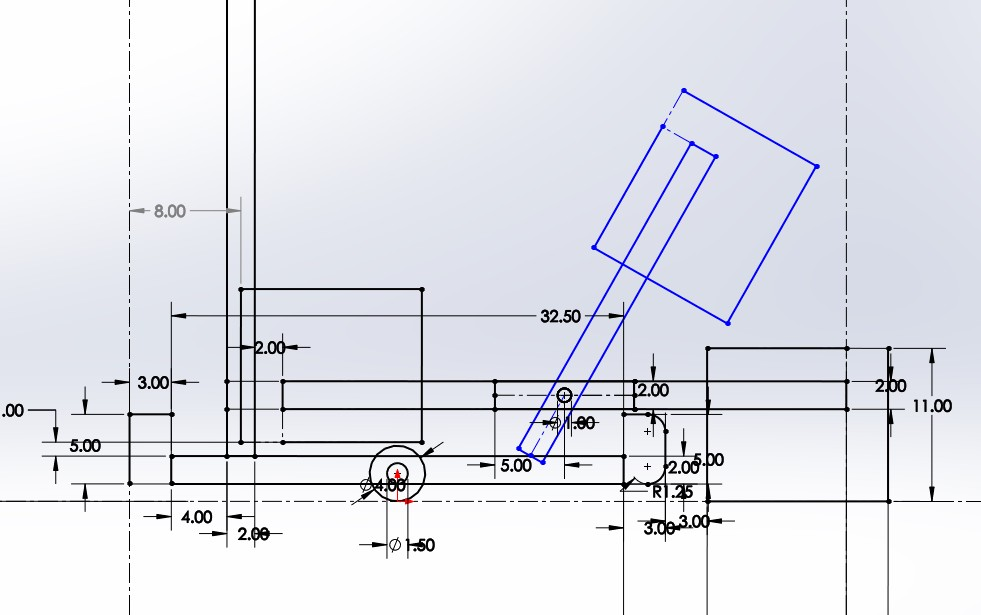
  • On Monday, we started the build by designing the forklift arm that we would be using to carry other robots at the end of the match. This design certainly needs some refinement, but the image below can give you a rough idea of what it looks like.

  • Some of the other challenges tackled during build were stowing and packaging in a space that is already really crowded with other subsystems. The roller coaster wheels that are still being designed need to fit into the same general space, so we spent a decent amount of time working with him to make sure that our designs didn't collide with one another. On Wednesday's build, we will look into this a bit more and get it reviewed before we start detailing each sub assembly.

Elevator

Task: Design Elevator Cartoon CAD

  • Today, we investigated different gearbox options to power the elevator. Both options contain 2 speed gearboxes (high gear for fast cube cycling and low gear for hanging). One option is to mount the gearbox is to have it attach off the side of the upright such that the motors do not interfere with the intake carriage. Another option is to mount it between the elevator crossbar and the baseplate so that we can bring the spool as low as possible. For the cable runs between stages, we are working on deciding whether we want a single pullup cable that is connected to the center of the carriage and is then redirected to the side or having two pull up cables, one on each side of the carriage, and does not require any redirect pulleys.

Option 1 Pulley Path (Redirects and mount off the side of tube)

Pulley Path Option B (No redirects, just pulls on each side of carriage)

Rollercoaster Wheels

Task: Complete designing rollercoaster wheels and find methods for mounting/deployment

  • Since the drivebase CAD has been frozen, we decided to mount the roller coaster wheels to the gusset at the junction of the angled A-Frame support and Elevator Uprights. We plan to finalize this idea at the beginning of our next build.

Programming

Task: Update All Talons and Roborios for Driver Stations

  • We worked on updating our roborios and talons to the latest 2018 firmware. We also updated all of our driver station laptops with the FRC Update Suite. Now that all our electronics are running on 2018 software, it should be a lot easier to program prototypes and test new code as we no longer have to keep switching between 2017 and 2018 code.

Task: RPLidar Visualizer

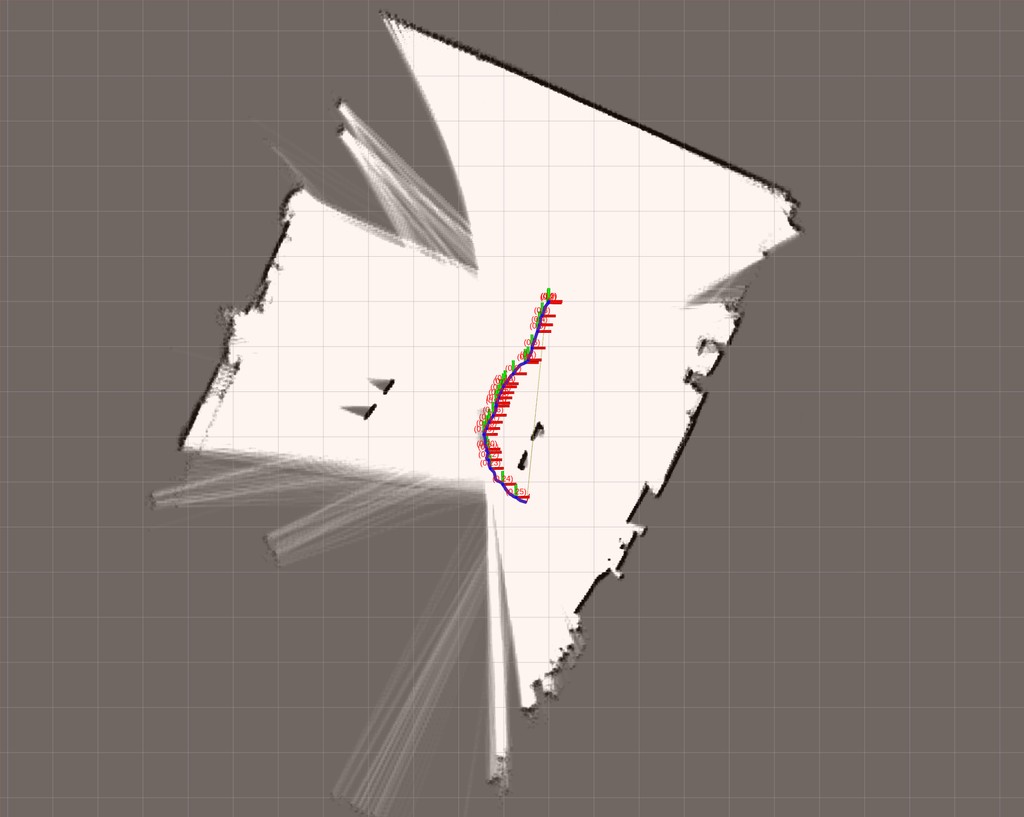
  • We worked on a field mapping program using the lidar sensor and Google Cartographer. The goal of this program is to push the lidar around the field on a cart and use the scans we get as we move around in order to build a map of the field. We want to use this data to scan a field before every tournament and adjust our autonomous paths accordingly so they are best optimized for small differences. This would be easier and more accurate then the method we used last year, which was to measure the field manually using a tape measure.

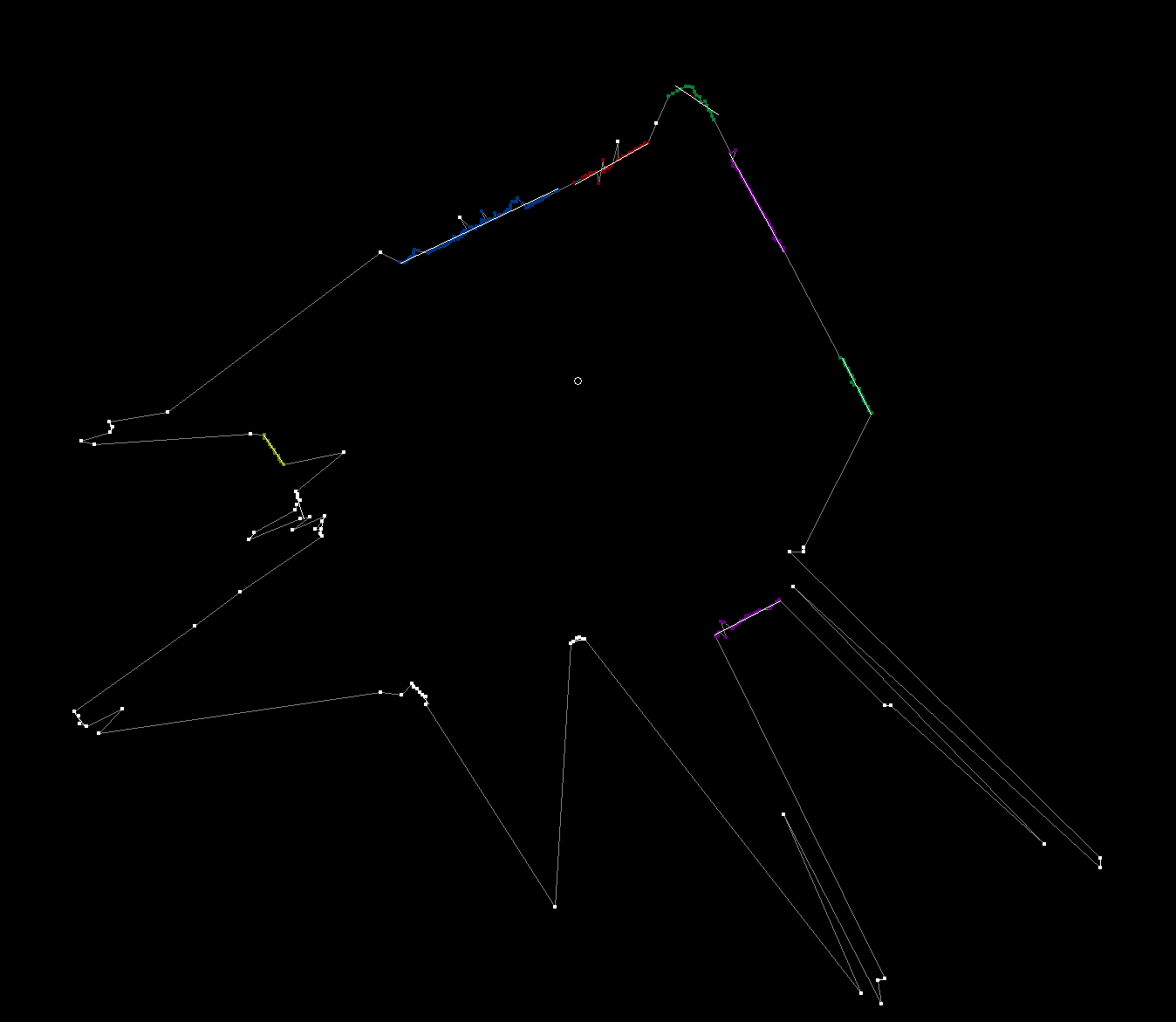
We also worked on an algorithm to determine our starting position in autonomous using the lidar and our field mapping data. We detected clusters of points in the lidar data based on their distance from each other then drew best fit lines through the clusters.

Build Blog Days 8-9 (1/19/2018 - 1/20/2018)

2018 FRC Build Season

Elevator

Task: Design Elevator Cartoon CAD

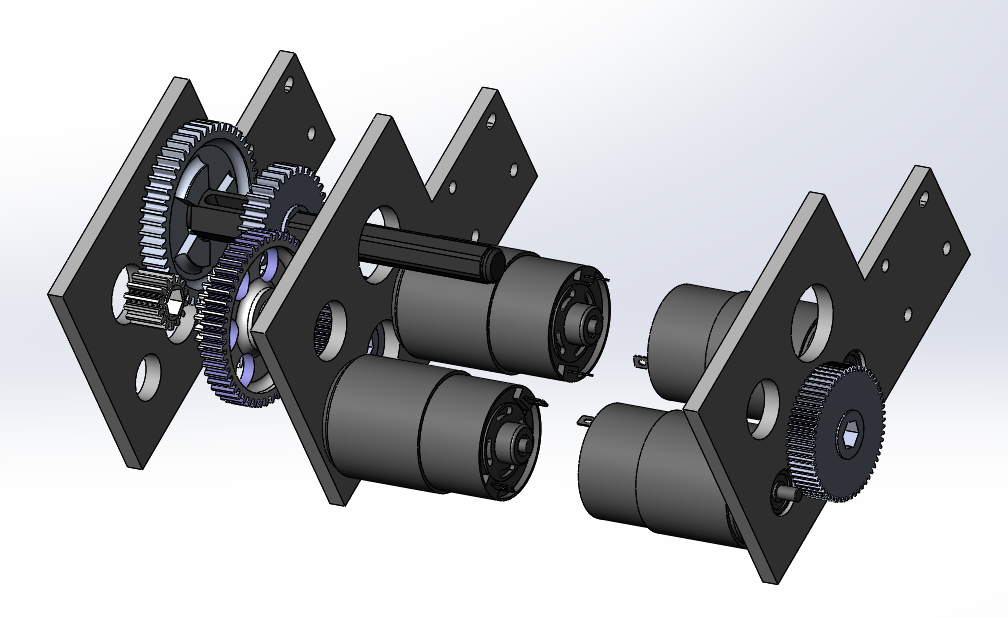
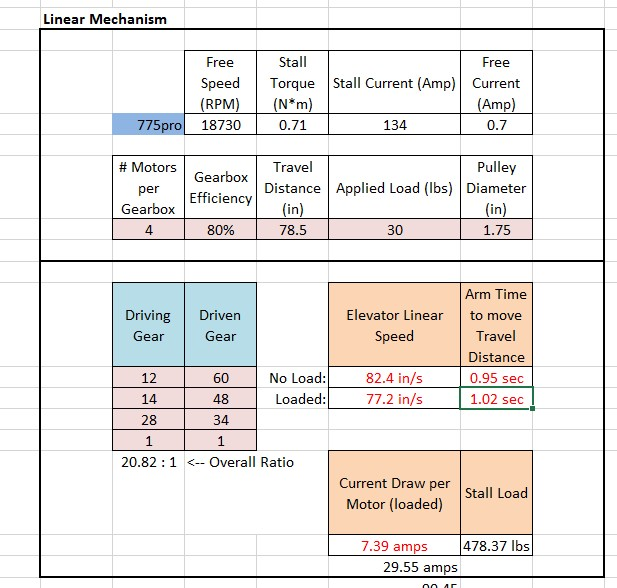
  • We worked on finalizing the placement of the elevator. The front face of the elevator will be 9" from the outside of the back bumper. We wanted to move the elevator back because we wanted to ensure as confident a handoff between our intake which will end before the elevator and the exchange, but we also needed to leave space for the roller coaster wheels and the forklift. We decided to place a 2x2 crossbar across with 90 degree angle plugs welded in the ends to dodge the chain and mount to the elevator plugs such that the elevator and the crossbar as a whole can come off as one unit. We finalized the gear reductions for the two speeds of the elevator and packaged the gearbox between the crossbar and the drive gearboxes. The gearbox will mount to the 90 degree plugs.

Top Level Assembly:

Preliminary Elevator Gearbox:

High Gear For The Elevator:

Low Gear For The Elevator:

Drivebase

Task: Finalize Drivebase CAD

  • At the last build, we worked on adding mounts for other parts of the robot to the drivebase and also placing electronics. There were a few requirements we kept in mind when placing the electronics including a horizontal battery (instead of vertical placement) to allow for a tunnel, a possible kicker roller in the front, and the gearboxes in the middle of the robot. Keeping these limitations in mind, we placed the battery in the front of the robot (to balance the center of gravity) and the PDP in the middle of the robot with stacked staggered Talons to each side. See the image for placement of everything else.

Forklift

Task: Complete Forklift CAD

  • Yesterday, we worked on the Forklift design for the 2018 FRC Robot. On Friday night, we started by doing some physics calculations to determine how much the forklift would bend once a robot was on it, and determined that a 100lb force at the end of a single 36in rod we plan on using would yield a 6in deflection. This number seemed like a lot, however when we moved the 100lb force to the center of a rod (18in), the deflection was only about 3/4in, which is very reasonable. The next step was to do some sketching in CAD to figure out where the mounting place for the forklift pivot point would be. After trying to make the forklift arms fit in between the bumper cutout (which ultimately didn't leave enough space for a cube to pass through), and trying to make the arms to go over the bumper (which collided with the elevator superstructure when stowed), we finally settled on having the pivot point for the forklift mount on the elevator superstructure itself. With this design, the forklift could stow vertically, and then come down neatly at the end of the match and react against the robot's frame rail when lifting a robot. Now that we have decided to go forward with this design, the forklift design team will need to work closely with the roller-coaster wheel team to make sure that the two subsystems don't collide with one another, as they are both located in very similar parts of the robot.

Rollercoaster Wheels

Task: Complete designing rollercoaster wheels and find methods for mounting/deployment

  • The intention of the rollercoaster wheels is to allow the robot to climb up straight in the sneaky hang, while preventing our partner from falling off the forklift in the partner hang. Our original plan was to have a single plate mounted to the elevator uprights, as well as a actuation deploying the wheels for both the partner hang and the sneaky hang. However, we were unable to package the plate in such a way to stow inside the frame perimeter. Thus, we decided on two separate plates and actuations for each of the rollercoaster wheels. In addition, since mounting the rollercoaster wheels on the elevator uprights would interfere with the forklift deployment, we are pursuing the deployment of the rollercoaster wheels from the bumper frame rail.

Programming

Task: RPLidar Driver with JNI

  • We made some real progress on the RPLidar Driver using JNI. We finished most of the C++ code for the JNI, which again allows us to call functions written in other languages, in Java. To do this, we adapted some of the code from example RPLidar programs for JNI. Once we were done with the C++ code, we built the code into a Shared Object. Our next steps are to finish the Java code, which will load the Shared Object, parse the data returned, and send the data over NetworkTables to the RPLidar Visualizer. Finally, once all of the code is written, we will do some testing and debugging.

Task: RPLidar Visualizer

  • We fixed an error where the RPLidar Visualizer Node.js server was unable to connect to the robot using NetworkTables, which is an implementation of a distributed "dictionary," meaning that named values are created either on the robot, driver station, or potentially an attached coprocessor, and the values are automatically distributed to all the other participants. Also, we updated some formatting on the visualizer to make the timestamp easier to read.

Task: Transforming RPLidar Vectors to XY Coordinates

  • Since the RPLidar scanner only returns an angle (in degrees) and a distance (in mm), we need to be able to transform that to XY coordinates for plotting on the RPLidar Visualizer. To do this, we had to account for the robot's own position and angle, and use some basic trigonometry to transform the vectors into coordinates.

Build Blog Day 7 (1/17/2018)

2018 FRC Build Season

Drivebase

Task: Cartoon CAD

  • Prior to today, we had the idea of having an intake feed into a tunnel. The tunnel would serve as a conveyor system to transport the cube back and forth across the robot. However, the issues with the tunnel are that a) it will be very bulky and would serve as a huge cantilevered load on the elevator and b) the vertical translation of a cube from the ground to the tunnel (~4.75") would be hard. To solve these issues, we had a new idea where we could have an intake that would pivot 180 degrees to pick up a cube in the front of the robot and then fold back to spit it out on the back side. Since the intake is now taking in and spitting out the cube, there is no need for a vertical translation of the cube and no need for a series of rollers to convey the cube back and forth across the tunnel we need to continue investigating the geometry of this new intake design and make a decision if we want to pursue this design or not by this weekend.

Bumpers

Task: Design a way of attaching the bumper to the drive frame rails

  • We have been working on using latch pieces to latch the bumpers onto the bumper rails. During our next build, we will decide if this is the best way to go and finalize the bumper mounts on the drive frame rails.

Intake

Task: Complete designing the new intake prototype

  • With our new intake prototype design, the intake is mounted on an arm and grips the cube. The arm that the intake is attached to has the ability to rotate back 180 degrees. We plan to have the arm and the intake system itself mounted onto the elevator. When the elevator moves up, the intake arm rotate back and ejects the cube onto the scale or switch. A few issues we are facing and trying to solve, are that we don’t want the intake to be too heavy and we want the intake to have a better grip on the cube.

Build Blog Day 6 (1/15/18)

2018 FRC Build Season

Gearbox
Task: Design drivebase gearbox

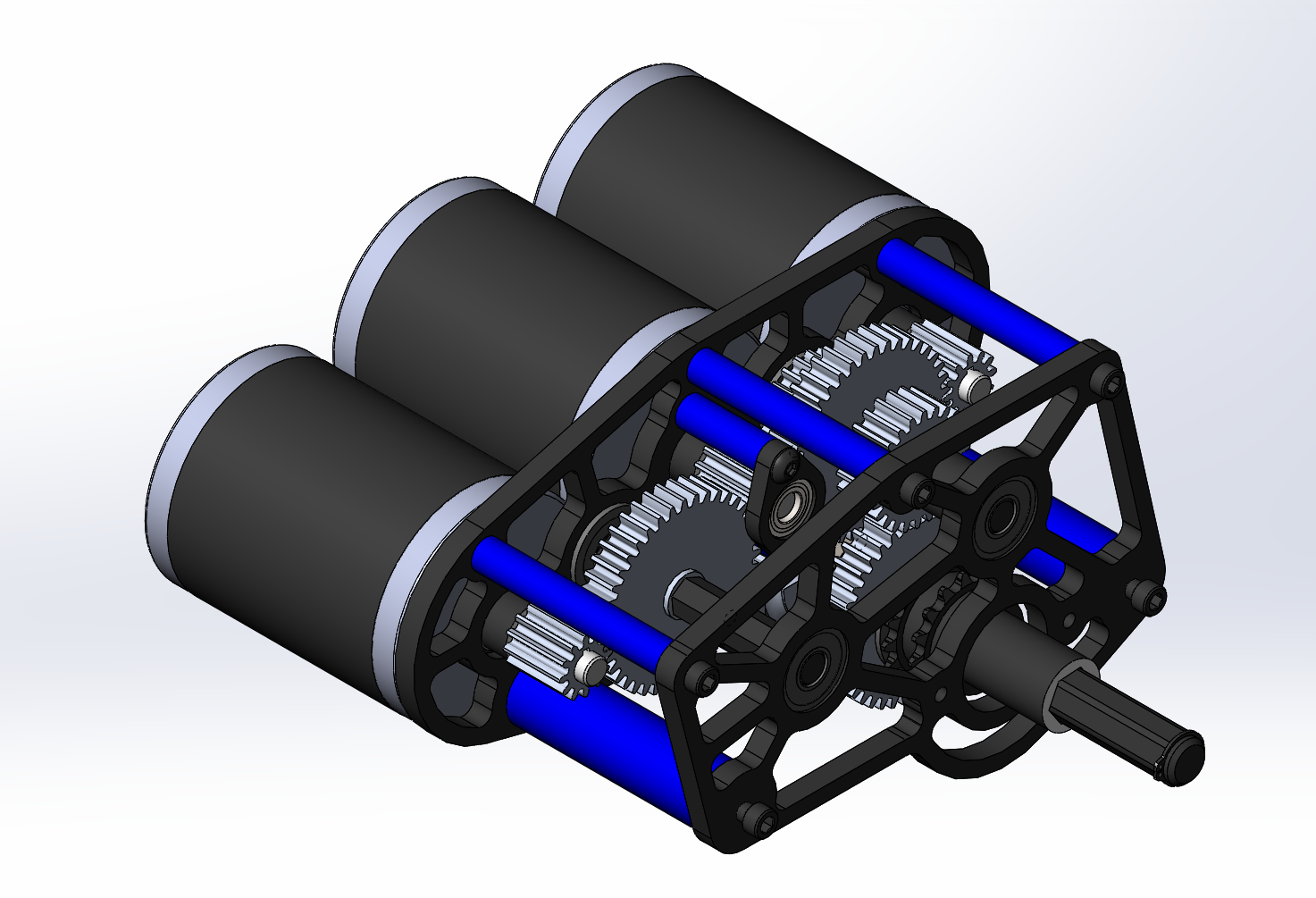
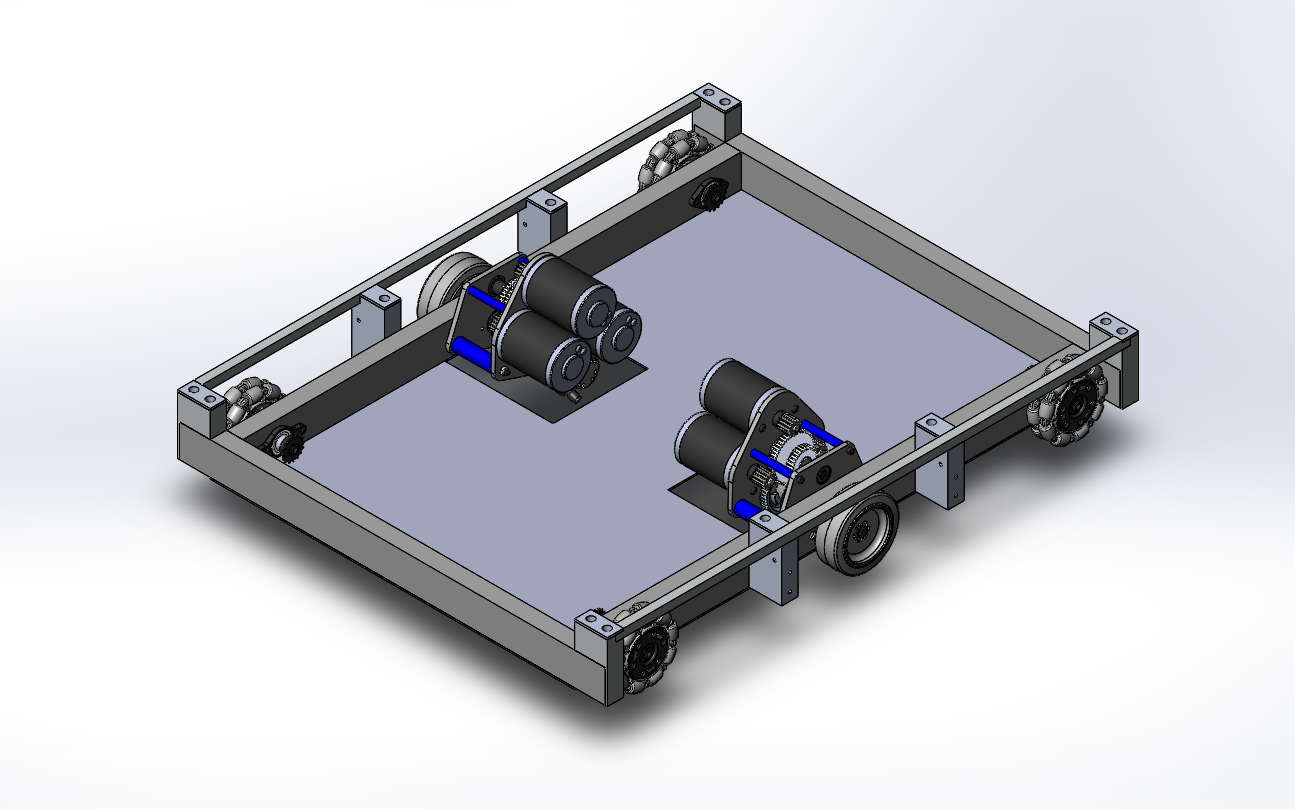
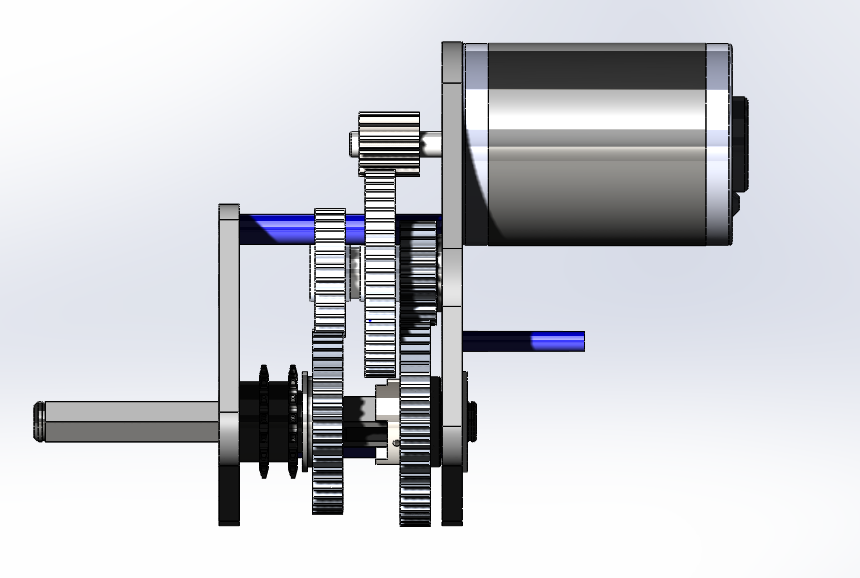
  • We found out today that the gearbox will have to be redesigned. Our original plan consisted of a triangle of mini-CIMs but this design was too tall and would not allow the tunnel to lay flat and exhaust cubes to the exchange. Our new design still uses 3 mini-CIMs but they are arranged flat so that they can be lower than the bumper rails.

Tunnel
Task: Design tunnel with timing belts to friction drive the cube across on all four sides

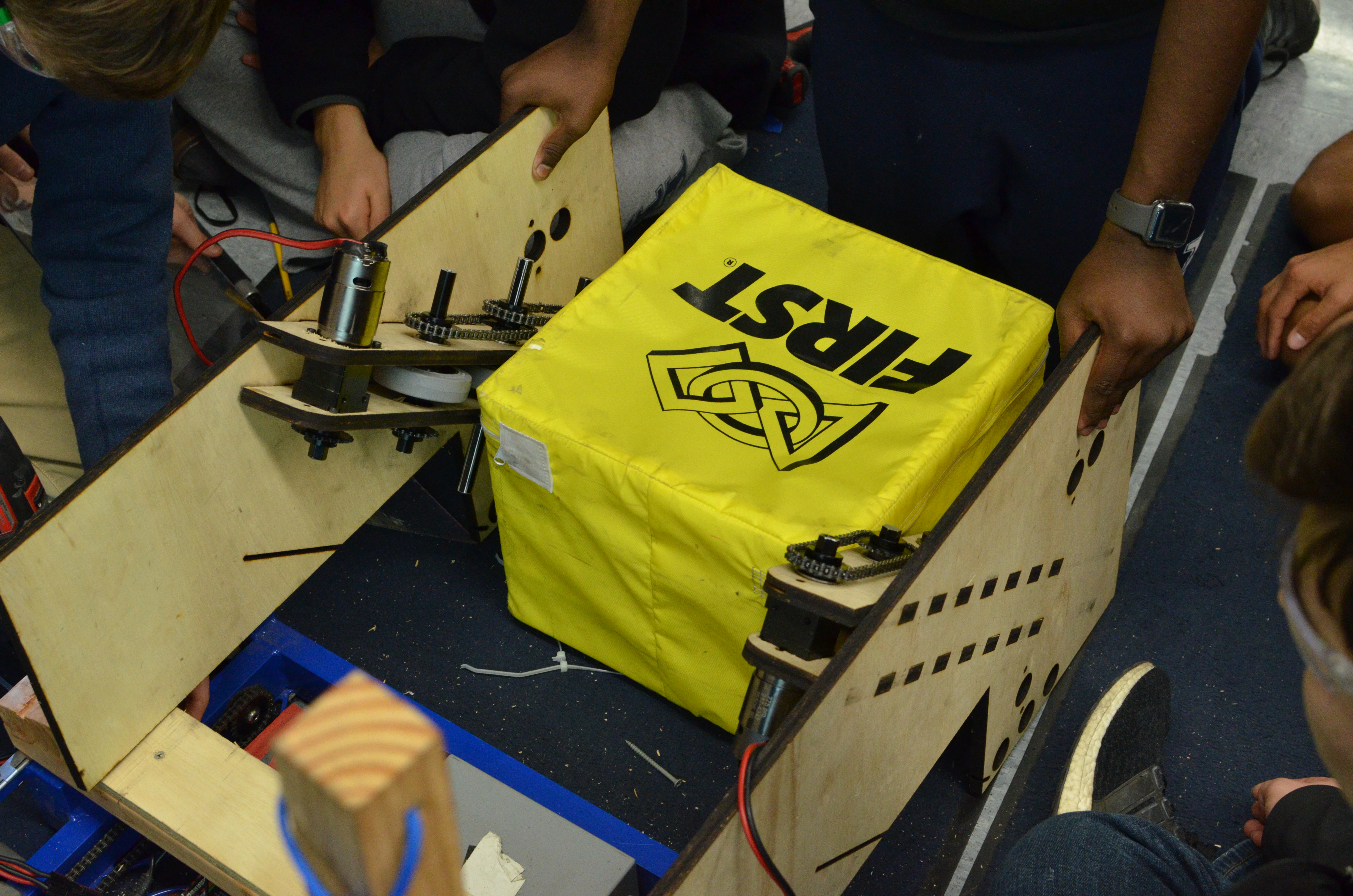
  • For the tunnel, we worked on prototyping a mechanism that used timing belts to move the cube.. We made a four bar that allowed us to test the cube in both orientations (11 and 13 in width). Initially, we had trouble with the prototype as there was too much friction between the wood the cube rested on and not enough tension in the belt. We redesigned the prototype and made changes including making the four bar structure more secure, tensioning the timing belt, and installing plastic rails for the cube to slide on. These changes greatly increased the effectiveness of the prototype, and pushed the cube quickly through the tunnel. We now are designing a variation of this but using rollers instead of timing belts, to see which one works better.

Programming
Task: RPLIDAR Driver

  • After ensuring that the RPLIDAR works, we discussed several options, and have started to implement two of them. For our first method, we were able to use existing examples of code, from the RPLIDAR's Software Development Kit (SDK), and write our own program that gets data and a timestamp for that data from the RPLIDAR, and send that data to the robot. Because the SDK is for C++, we would probably have to run this program on a co-processor on the roboRIO that communicates with the rest of the robot code over User Datagram Protocol (UDP). Our other option, which is more preferable, is to use the Java Native Interface (JNI). JNI allows the Java Virtual Machine, which runs Java code, to call functions written in other languages, which will allow us to use the SDK, even though it is written in C++. We will continue work on both of these methods, and choose whichever will work better for the robot.

Task: RPLIDAR Visualizer

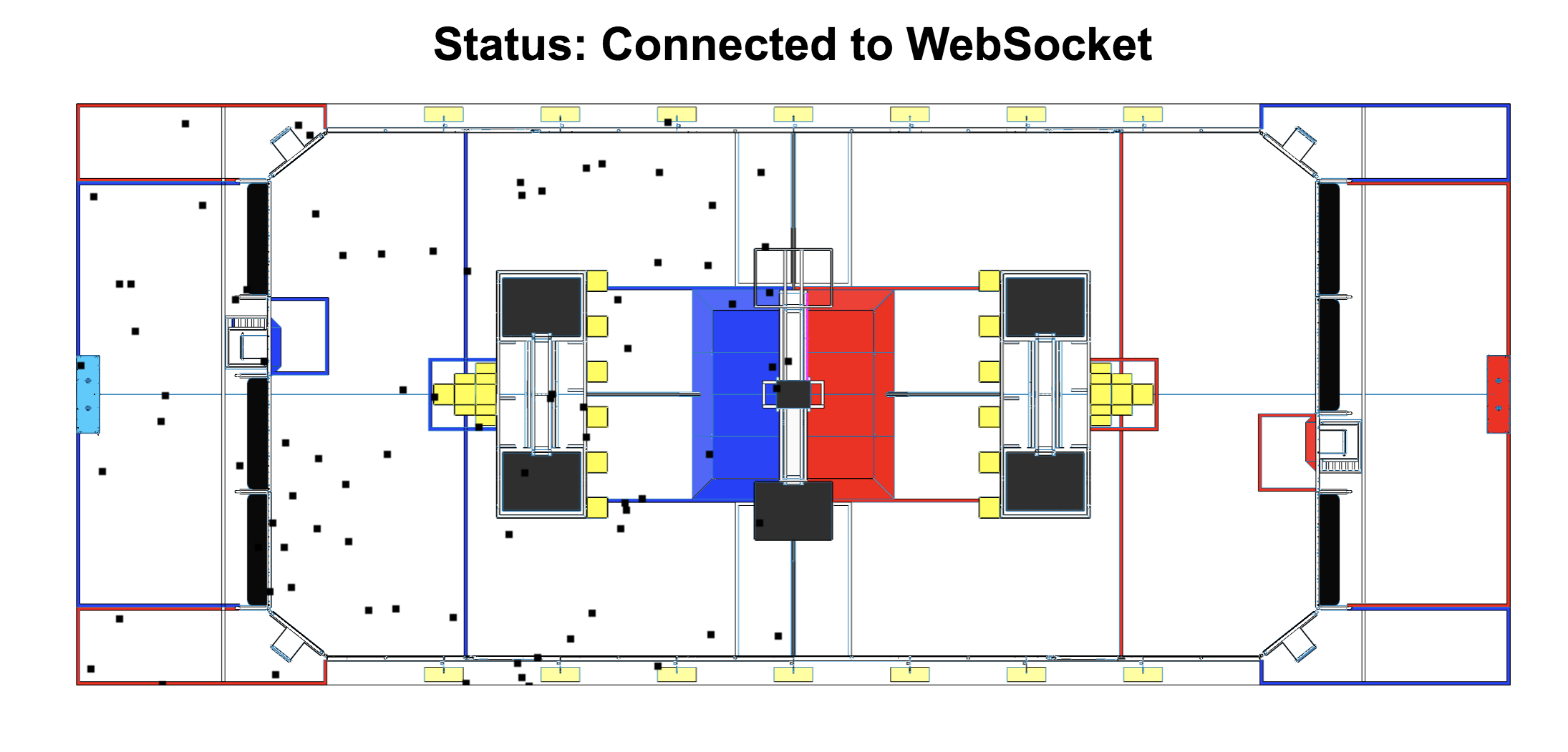
  • We scaled down points to the size of the field, but this messed with the zooming and panning functions so we’ll have to fix this. Here is a sample image of the current functionality of this interface:

Build Blog Day 5 (1/13/18)

2018 FRC Build Season

Drivebase

Task: Model drivebase moving up platform ramp with 1/8" center drop and minimal space from outside bumper supports

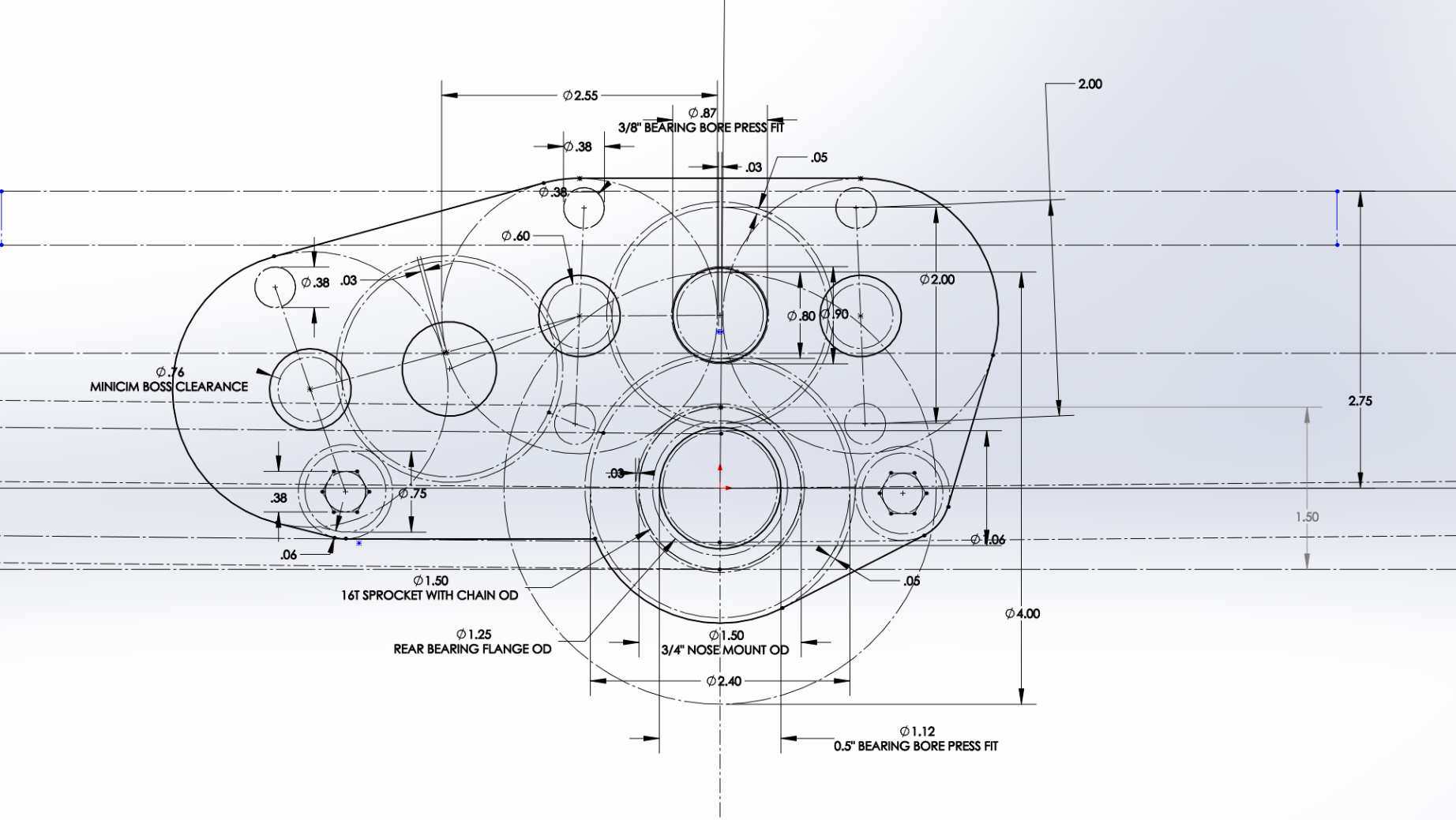
  • To ensure we have a stable robot when our CG raises with our elevator, we decided to extend our wheelbase as far out as possible. By doing so though, we are more susceptible to high centering on the platform ramp. To ensure we do not do so, we revisited the sketch we used to model the drivebase motion and adjusted the parameters to space the wheels as far out as possible and with a center drop. We also decided to constrain the lowest height of the bearing holes by having the center 16 tooth sprocket with chain OD be tangent to the baseplate. We will account for the chain run by having a cutout in our base plate.

Task: Finalize drive gearbox

  • We finalized the design of the drive gearbox and placed an order for the necessary hardware required (gears, pneumatics, screws, etc.) We hope to begin assembly of the drive gearbox this week.

Task: Sketch electronic placement

  • Task: Sketch electronic placement
    We sketched the electronics placement on the baseplate. We plan on having the battery lay flat as in 2017 rather than standing up as in our 2016 robot. This way, we can lower the carriage/tunnel as far down as possible which means the cube does not need to move vertically as much from the ground to the handling mechanism.

Intake

Task: Prototype Intake

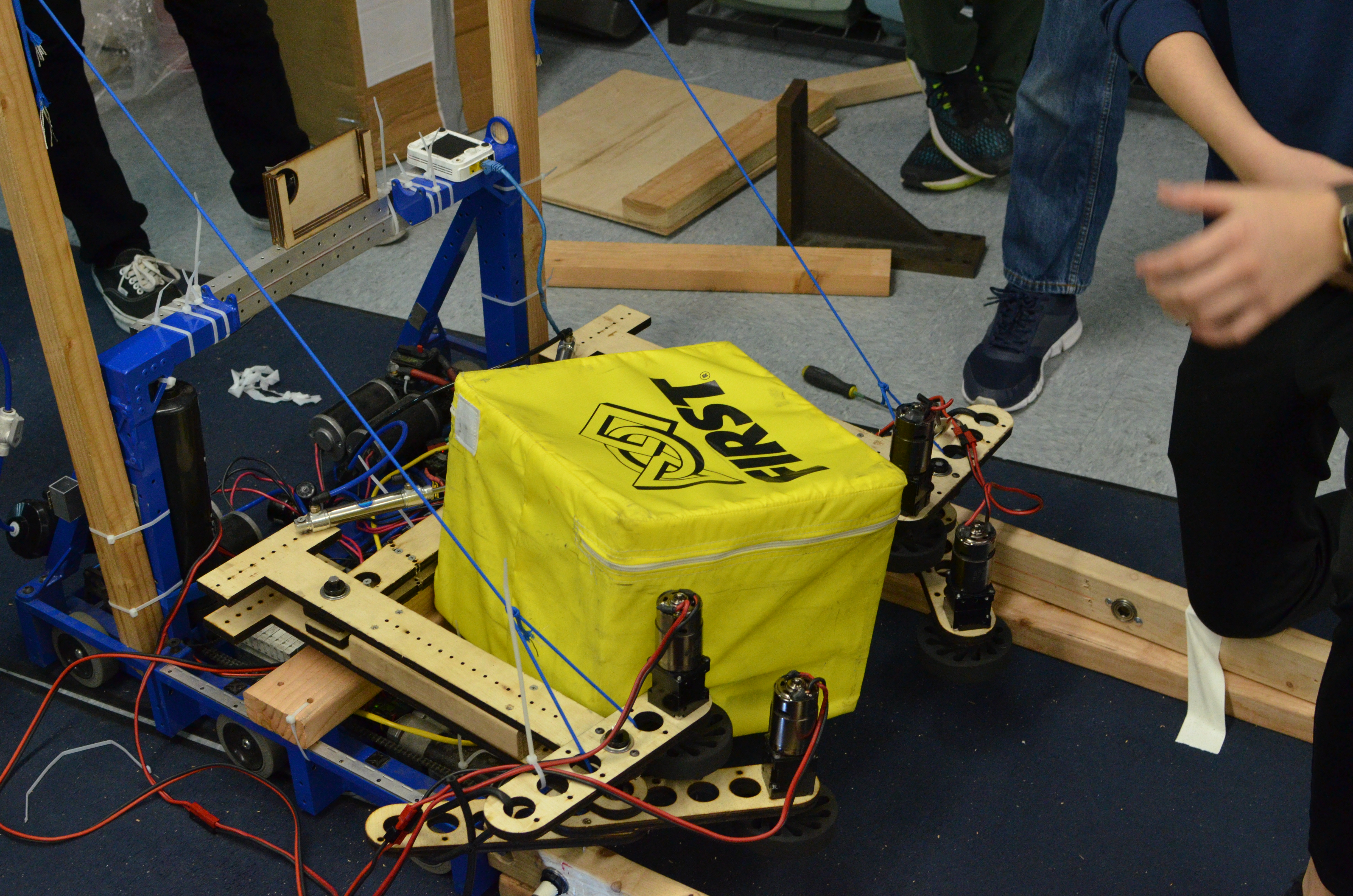
  • We assembled an intake with adjustable wheel placement and pivotable arms/outer wheels, and mounted it to the 2017 drivebase. We controlled each wheel with its own independent 775pro geared with a 5:1 reduction ---- by doing so, we were able to test asymmetry and easily adjust certain speeds of certain wheels. This intake prototype worked well in quickly drawing in the cube and orienting it from a diamond to a square shape. We also saw that by increasing the pressure in the pistons controlling the outer arm pivot, the intake itself became a lot stiffer and was able to better control the cube. We quickly implemented a bottom kicker roller and saw that it worked well because the intake itself was able to provide enough force to push the cube up and above the kicker roller. Moving forward, we will design a prototype that combines this intake with a kicker roller and mount it on a test drivebase.

Task: Prototype ramp intake

  • We design and tested if a kicker roller + a ramp with wheels on either side guiding the cube up would work in transitioning the cube from the ground to the tunnel. While testing, we realized that the wheels on either side did not grip well to the cube (we used colsons) and the transition from the kicker roller to the ramp and wheels was not as straightforward as expected. When the cube goes over the kicker roller, its motion is not very controllable especially when that is the only roller it is contacting. We added a vertical constraint (a piece of 2x4) to stop the cube from being kicked too high, however it deflected the cube from the center of the intake and away from the ramp. Watch this video to see the prototype in action.

Miscellaneous CAD

Task: Cartoon CAD and system integration of robot

  • Today was mostly filled with discussion regarding how best to integrate the various systems of the robot and how to constraint the placement of those systems. In terms of the elevator, we will be moving the outer bars (2x1 box tubing) to sit on top of the frame rails. The outside face of the intermediate stage will come in 0.138" (same clearance used in 2011) from the inside face of the outer bars, and then the carriage tunnel will be another 0.138" in from the inside face of the intermediate stage. This leaves us with around 17" for the width of the tunnel which we think will be enough to handle any orientation of the cube. We also investigated the elevator placement with regards to climbing. To make climbing especially easy on the drivers, we plan on driving straight up onto the ramp and having our bumpers flush against the scale wall and our elevator bar flush against the 2x2 box hanger box tubing. With those constraints, this means our elevator sits 8" from the outside face of our bumper which also means that given we want to spit cubes out on the back side of the tunnel (the side opposite the intake), we need to spit them 8"+. 8"+ is not ideal especially if we want to strategically place a cube, so we need to further investigate how best to optimize elevator placement. We also did line contact calculations on the bearings contacting the intermediate stage from the outside bar, and given that we are hanging 3 robots, then the bearings as well as the aluminum tubing will endure more load than their static load capacity and yield strength, respectively, can handle, To solve this, we tossed around ideas of alleviating a portion of the load from the bearings with a tensile member extending from the top of the intermediate stage to the CG of our robot (the tension of the cable acts opposite to the torque of the robots). Lastly, we decided that to ensure we have a smooth transition from the intake to the tunnel, we will have the intake fixed to the tunnel and not pivot, but will have the entire tunnel + intake system pivot such that it can stow within the frame perimeter, intake horizontally, and place cubes on stacks on the scale.

Programming

Task: RPLIDAR Driver

  • We tested the driver that was already written, but nothing happened. After rewriting some of the code, we were able to send a request to the RPLidar and received some sort of "ok" response, but still, the RPLidar did not start scanning.

Task: RPLIDAR Data Visualizer

  • We worked on some more modifications to the visualizer. We were able to cache all the data sent to the visualizer in an array, so that we could view data with specific timestamps. We also worked on being able to zoom in and pan around the image of the field, so that it is easier to see, but there are still some bugs with this.

Task: Intake Prototype

  • For testing purposes, we remapped the control board so we could toggle each of the four motors on the intake prototype with four separate buttons on the driver station. We also added some buttons to change the speed of the motors on the intake. In addition, we read the drive code, but since last year's programming bot did not have a working compressor for the dog shifters on the drivebase, the robot could not drive.

Build Blog Day 4 (1/12/18)

2018 FRC Build Season

Drivebase

Task: Test different wheel arrangements between colsons and omnis

  • We decided to switch our initial idea of using 6 colsons to 2 colsons and 4 omnis on the drivebase. We also decreased the drivebase width by 0.6 inches to accommodate for the entire width of the colsons. In addition, we added custom wheel shafts into the Drivebase CAD. We also added the gearboxes into the drivebase CAD. This will require us to change the placement of the electronic components.


Gearbox

Task: Design drivebase gearbox

  • We started by resolving a few minor issues with packaging Cims around the shifter cylinder. We also realized that we needed more space for components in our gearbox, so we decided to increase the size of the gears between the Cims to fit all necessary components. After fixing these issues, we now have a working gearbox design. At our next build, we plan to finalize the assembly and detail the Gearbox CAD.


Intake

Task: Design intake prototype with two horizontal rollers to pull in and kick up cube

  • We began build by testing the 1st simbotics style intake prototype with 2 sets of wheels. After our testing, our results confirmed that asymmetry is the best way to go forward. Next, we assembled a new intake prototype with a horizontal roller and a kicker roller placed slightly behind the horizontal roller. When testing this prototype, we noticed that the cube would be lifted off the ground and get stuck between the rollers. We plan to keep testing this prototype since the kicker roller showed some promise in getting the cube over the frame rail. Look at Video 1 and Video 2 to see this new intake prototype in action.

  • Lastly, we laser cut version 2 of the simbotics intake, which will be assembled during our next build.


Tunnel

Task: Design tunnel with timing belts to drive the cube across on all four sides

  • The original plan for the tunnel was to have a square tunnel 13”x13” that would have power belts on each side. This way, no matter the orientation of the cube, it would always be in contact with at least 3 sides.


Programming

Task: Test the lidar driver with the roboRIO

  • We worked on the driver, which helps us get data from the RP LIDAR sensor. The sensor gives the distance in mm and the angle in degrees of a detected object.

Task: Hook up the visualizer to the robot

  • We also worked on the visualizer by plotting dummy points on a picture of the field. We encountered a few bugs, but fixed them all. Look below for a picture of the visualizer.

Task: Setup and testing

  • Limelight is a camera specifically made for FRC, which makes it easier to use, so we have been experimenting with it. We tuned the vision pipeline specifically for the power cube. In this process, we realized that we had to re-tune the vision pipeline in different lightings, so at each competition we would have to re-tune the pipeline if we were to use the Limelight. The Vision Pipeline is a set of consecutive image processing functions that work to isolate and find specific objects.